Showing posts with label cm. Show all posts

[ROM] [BETA][5.1.1] Unofficial CyanogenMod 12.1

CyanogenMod for OnePlus 2 

What features work?
- Booting
- Display
- Touchscreen
- Camera
- Audio
- RIL
- Sensors
- Wi-fi
- Bluetooth
- GPS

What does not work?
- Fingerprint
- Laser Autofocus
- Notification Slider
- Enforcing selinux

This ROM is quite stable.


Downloads
ROM

Installation

  • Boot into Recovery
  • Wipe Cache/Data
  • Install Zip
  • Select the ROM, optional GApps (64-bit)
  • Done

[ROM][4.0.4]CyanVision[GT-S5301]

[ROM][4.0.4]CyanVision[GT-S5301]


CyanVision ROM is a mixture of ( CyanogenMod 9 and Revision 2.5) .
The New CyanVision is already present for your pocket plus more enhancements and lighter .
The ROM is an excellent performance , more memory RAM released, without any locking fluid .
A custom rom with excellent Optimizing , fast the way that everyone wants .

This file is not a update , is a full rom .
No script  added, build.prop tweaks ... that is edited so that u choose the best and preferably not act any conflict.
The ROM is clean additional engine but still with high performance
The ROM can be added to any engine of your choice without any risk of conflict. 


CHANGELOG :


#-- version 0.9 --#
nameless
Start of project
Removal of bloatwares
Addition of applications
Change the bootanimation
tests carried out
bugs found
"Waiver" by posting amounts of bugs
Restart project

#-- version 1.0 --#
Choose the name of the ROM ( CyanVision )
Restart project
Exchange bootanimation
Exchange of fonts
Exchange of sound effects
Removal of more bloatwares
Adding applications
Added support init.d
tests carried out
bugs escontrados
Released for use

#-- version 1.1 --#
Bugs fixed :
Exchange for the lockscreen wallpaper
Some browsers giving force close
Sound off bootanimation boot time
--------
Deodexed
zipaligning
Removal more bloatwares
Added new applications
bugs fixed
test carried out
No bug found

#-- version 1.3 --#
More Bloatware removed
Added bootanimation
Added some sound effects
Added init.d support
Whatsapp bug fixed
Bug fixed exchange
SystemUI modified

#-- version 1.4 --#
Busybox now installed with the ROM .
sysctl.conf Support
To add more tweaks .
init.d improved
Added a script to the init.d to 100 % uptime
Fixed embedded GPU .
Now you can play your games without bugs unity of characters ^ ^
Removal more bloatware
Removing some applications from previous versions
Adding applications
tests carried out
Installation tutorial

1 - Download : CyanVision V1.4.zip ( Link order the poster )
First install CWM in order to install the ROM ( Remember to put the file in the root of the memory card)
2 - recovery ( vol up + home + power )
3 - select update from SD
4 - select cwm
5 - select wipe data factory reset / wipe cache
6 - select install zip from sd / choose zip
7 - select the CyanVizion V1.4.zip
10 - Reboot system now
11 - expect to start (it takes about 10 minutes to connect )

Screenshots:


Downloads :

#-- version 1.0 --#
File: 306MB
DOWNLOAD

====================

#-- version 1.1 --#
File: 308MB
Link 1 DOWNLOAD
Link 2 mirror - Credit HyruleX DOWNLOAD

Fix bug exchanger file : 1.5MB
DOWNLOAD

====================

#-- version 1.3 --#
File : 211MB
DOWNLOAD

Mirror Link
DOWNLOAD

4shared
DOWNLOAD

Support Kies : 216KB
Credits - Hyrulex
DOWNLOAD

Bug fix ( buggy characters in games ) + Fix force close in some navadores : 73.3MB
DOWNLOAD

SystemUI Fix (Temporary) : 1.7MB
DOWNLOAD

busybox without the need for applications

CyanogenMod : 354.6KB
DOWNLOAD

Stericsson : 457.4KB
DOWNLOAD

THE FIX IS OPTIONAL, VC CAN KEEP THE NECK, WITH SO MUCH THAT SCIENCE THAT SECOND FORCE WHEN THE BATTERY IS CHARGED 100%, VC AND KEEP THE CHARGER.


#-- version 1.4 --#
File : 202MB
DOWNLOAD

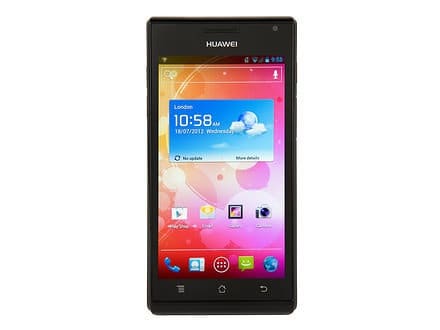
[ROM][CM-11][4.4.2][Unofficial] Huawei Ascend P1

[ROM][CM-11][4.4.2][Unofficial] Huawei Ascend P1


Unofficial CM 11 (4.4.2) for Huawei P1/P1XL


What works:
Ril
GPS
Wifi
Sd card
Camera
Root
Audio
Bluetooth


DOWNLOADS AND OTHER LINKS

Latest build:
Download Link : cm-11-20140410-UNOFFICIAL-viva.zip
Previous build:
Download Link : cm-11-20140402-UNOFFICIAL-viva.zip

GAPPS 4.4 LINKS:
1) Gapps for both machines
2) http://d-h.st/EIM


Other downloads:

External SD as Primary
Internal SD as primary  
permissions_sdcard.zip  
Enable/Disable vibration on hard keys for 0402 build  
Huawei Stock Camera
INSTALLATION INSTRUCTIONS

- FULL AND COMPLETE WIPE IS RECOMMENDED
- Boot into recovery of choice
- Take a backup
- Wipe Cache
- Wipe Dalvik
- Wipe Data/Factory Reset
- Wipe /System (or, in CWM, "format /system" under Mounts and Storage menu)
- Flash ROM
- Flash gapps (see above)
- Reboot, and wait 10 minutes.
- Reboot.
Changelog:

  • 04/10 PowerVR Graphics Driver updated to 1.9@2166536.
  • 04/10 Added patches for SD as primary.
  • 04/02 Latest sync repo from CM11 source.
  • 04/02 Flight mode connection fixed.
  • 04/02 Bluetooth fixed (needs testing)
  • 03/01 Default status for H/W keys:no vibration
  • 03/01 Installation for paid apps fixed.
  • 02/28 Graphical glitches fixed.
  • 02/28 Camera is stable now.
  • 02/28 Added hard keys vibration.
  • 02/28 Some others minor fixes.

[ROM][PORT][CM7.2] KitKat Smart R2 for Galaxy Pocket S5300

[ROM][PORT][CM7.2] KitKat Smart R2 for Galaxy Pocket S5300
Features:

Holo launcher;
KK StatusBar Style;
KK Keyboard Style;
KK Dialer and Contacts Style;
CMFile Manager modded ;
Browser like Chrome;
KK Desk Clock;
KK Settings Style;
KK Calculator
and More


Installation:


1. Flash Stock Firmware
2. Go to CWM recovery
3. Format system, data, cache
- mount system, data, cache
4. Flash the rom
5. Reboot


Download -


Flash this if you get lost IMEI problem -


Changelog:

Build 1- Initial Build
Build 2 -
1. Smaller in size
2. Some black on black bugs Fixed
3 New modified Framework
4. Resized Apps
SCREENSHOTS:
Click image for larger version

Name: 1.png
Views: 5475
Size: 100.6 KB
ID: 2635351   Click image for larger version

Name: 2.png
Views: 2432
Size: 15.6 KB
ID: 2635352   Click image for larger version

Name: NewExperienceSS-20140314_200647.png
Views: 2305
Size: 29.1 KB
ID: 2635353   Click image for larger version

Name: NewExperienceSS-20140314_200736.png
Views: 2348
Size: 16.9 KB
ID: 2635354   Click image for larger version

Name: NewExperienceSS-20140314_200752.png
Views: 2163
Size: 20.8 KB
ID: 2635361

Click image for larger version

Name: NewExperienceSS-20140314_200758.png
Views: 2201
Size: 22.7 KB
ID: 2635362   Click image for larger version

Name: NewExperienceSS-20140314_200937.png
Views: 2146
Size: 39.4 KB
ID: 2635363   Click image for larger version

Name: NewExperienceSS-20140314_200952.png
Views: 2083
Size: 18.1 KB
ID: 2635364   Click image for larger version

Name: NewExperienceSS-20140315_072715.png
Views: 2097
Size: 60.1 KB
ID: 2635367   Click image for larger version

Name: NewExperienceSS-20140315_072754.png
Views: 2029
Size: 29.4 KB
ID: 2635368

Click image for larger version

Name: 9e548c838be13739bc70aecd47d9a541.jpg
Views: 2075
Size: 36.2 KB
ID: 2635371   Click image for larger version

Name: f79413fe4e49aac8a004df93a5d07e00.jpg
Views: 1946
Size: 28.3 KB
ID: 2635372   

[ROM][CM10][CM10.1][CM-10.2][CM-11.0][GT-S7710] Samsung X Cover 2

[ROM][CM10][CM10.1][CM-10.2][CM-11.0][GT-S7710] Samsung X Cover 2

CM10, CM10.1 and CM10.2 port for the Samsung X Cover 2 (GT-S7710).

Recovery

A working CWM port with minor issues is discussed and available here.
Download

All files are available here or here.
Changelog CM 10:

  • 2013/07/26: Initial preview
  • 2013/07/27: Fixed Wifi
  • 2013/07/29: Fixed GPS
  • 2013/09/04: Userdebug build to get rid of red frame
  • discontinued, but porting changes for the camera, USB etc from cm-10.1 branch should not be a big deal

Changelog CM 10.1:
  • 2013/09/15: Alpha release 0:
    • Phone and mobile data
    • GPS
    • WIFI (tethering is untested and probably broken)
    • Bluetooth (tested a2dp and a headset/car)
    • Audio (EQ is untested)
    • Front and rear camera work. Video recording is broken!
    • USB MTP works. PTP is untested.
    • SD card
    • adb
    • Flash light
    • Video playback is broken.
  • 2013/09/30: Alpha release 1:
    • Fixed video playback and recording.
    • CM updates and account wizard added.
  • 2013/10/14: Alpha release 2:
    • AOSP lpm animation
    • Updated video processing
    • CM Updates
  • 2013/10/20: Alpha release 3:
    • Fixed Torch
    • Removed automatic brightness menu
  • 2013/10/27: Alpha release 4:
    • Fixed WIFI tethering

Changelog CM 10.2:
  • 2013/11/02: Alpha release 5:
    • Bump to CM 10.2 - same functionality as in Alpha 4.
  • 2013/11/19: Alpha release 6:
    • CM Updates
    • Added fix for low volume in incoming calls
    • Some source cleanup
  • 2013/11/24: Alpha release 7:
    • CM Updates: Wallpaper, Bootanimation
  • 2013/12/05: Alpha release 8:
    • CM: Build with cm-10.2 stable sources
  • 2014/01/12: Alpha release 10:
    • CM: Source update.
  • 2014/02/04: Alpha release 11:
    • CM: Source update.
    • Fixed random reboots.

Changelog CM 11.0:
  • 2013/12/31: Alpha release 9:
    • Preview CM11 image. OMX/Camera is broken. Just for testing and not ready for daily usage. Needs latest recovery and full wipe.

Known Issues
  • BT hands free. Connection/pairing works, but the audio path is broken.
  • stock MMS app

[ROM][KitKat][Xperia M] Unofficial HellKat-4.4.2


[ROM][KitKat][Xperia M] Unofficial HellKat-4.4.2
HellKat for Xperia M


Android 4.4+ KitKat ROM built from CyanogenMod v11.0 source with lots of custom additions


Features

CM-11.0 Base with Linaro Optimizations
Quick Settings Pull down, fully configurable
Lockscreen Widgets
5 Target Lockscreen Shortcuts
Transparent Notifications
HALO
Listview Animations
Screen Recorder
Trebuchet is BACKKKKK!
18 Init.d Scripts from Beanstalk
Expandable Desktop
Customizable Power Widget
LCD Density Changer
Build Prop Mods
Screen-On Notification Light
Tablet Mods/Dual Pan Preferences
Customizable Button Layout
NavBar Options
Customizable Battery Icon
Expandable Desktop
Tap & Pay
Much more to come!!!!


Installation Instructions

1. Download ROM
2. Reboot into recovery
3. Please back up your ROM before you begin!
4. You need a full wipe.
5. Flash the ROM
6. Flash 4.4 Gapps
7. Reboot
8. Let it sit a while.
9. Reboot, setup and enjoy HellKat!



SCREENSHOTS


[ROM][Cyanfox] [ CM-11 | KITKAT 4.4.2] | Official |i9100|


[ROM][Cyanfox] [ CM-11 | KITKAT 4.4.2] | Official |i9100|


CyanFox is a free, community built distribution of Android 4.4.2 kitkat which greatly extends the capabilities of your phone and to increase performance and reliability over stock Android for your device.

Cyan Fox is a light-weight Android 4.4.2 custom ROM, which is based on AOSP/Android (4.4.2) and CyanogenMod (11) source bases.


Changelog


Changelog for versions 01/14 to 2/24
-speed up boot for multi core devices
-enable expanded desktop.from profile
- Ability to rescan media for the storage volume manually.
- Stylus gestures features (in language settings).
- Option to toggle the pointer icon when using Stylus in language settings.
- Allow tablets to send SMS if enabled in device overlays.
- Automatic band selection.
- New sound settings: silent mode (call ring mode), volume panel style, sound-to-vibration mode, adjust sound silently (toggle), other vibration options.
- Make the lock screen camera widget configurable.
- CF updater: added support for Delta updates (still need to configure server to suppor it).
- Battery pulse notification light.
- Allow following actions with hardware-button long-presses on lockscreen: toggle flashlight (if available); play/pause/next/previous track selection; toggle silent mode; answer call with home button, etc. (read more http://goo.gl/9WMi4j).
- Camera button various options: like unlock device, etc. (read more http://goo.gl/uYDASV).
- Switch option to show/hide battery status on lockscreen.
- Show/hide IME switcher notification.
- CM privacy settings.
- Quiet Hours: allow disabling phone ringer.
- Re-implement noise suppression for phone calls.
- Telephony: add to blacklist support.
- Allow changing screen-off animation: fade/crt (depending on device possibilities).
- Notification & Battery LED: instant test options visualy while screen-on.


Full sync with CM


Whats Working:


Double Tap Statusbar Sleep
Theme Chooser
Calls
Display
Data (2g/3g/H/H+)
Sms/Mms
Camera
Video
All Sensors (Compass, Gyro Etc)
Vibration
Wifi
Audio
Gps
Bluetooth
Dark Ui
Nav Bar
Nav Bar Quick Launch Shortcuts
Customizations To Status/Nav Bar
Screen Record
Battery Status Style
Show Battery Percent
Quick Settings
Quick Access Ribbon
Expanded Desktop
Vibration Intensity
Default Music Player On Plug
Home Button Answer Call
App Ops / Privacy Guard
lock screen see through /blur
quick settings quike edit button on status bar
left handed nav in landscape mode
translucent volume panel
vol panel style
advanced display options
reorient vol buttons
vol button to wake/home button to wake
advanced power button options
Live wallpaper background in recent apps


Not Working:


Front Facing Camera Record


Downloads


Screenshots


CyanFox Install Guide


1.Download KitKat compatible recovery zip and Cyanfox Rom.
2.Reboot Recovery.
3.Flash the KitKat compatible recovery zip from post(DO NOT REBOOT PHONE!)
4.For CWM users choose the advance menu, then reboot recovery. TWRP users should hit reboot tab then reboot recovery.
5.Wipe-Factory Reset, Partition Cache, Dalvik cache.(If coming from a jelly bean 4.3.x or lower ROM it is recommended to format system as well).
6.Flash Cyanfox Rom . cyanfox gapps on full wipe not dirty flash
7.REBOOT PHONE.
CyanFox Gapps... http://cyanfox-rom.com/downloads/?folder=_gapps/
9.Enjoy.


Quick Info.


Q1. How to Unlock Developer Option?
Ans. Go To Settings->About phone->Tap 6-7X on build in settings->Enjoy

Q2. How to get USB not MTP?
Ans. Go To Settings->Storage->Press the 3 dots on top->Choose MTP->Enjoy

Q3. How to take a photo with hardware button, I mean without touch screen button?
Ans. Start camera, take the volume button up or down->Enjoy

[ROM][4.3.1][TeamCanjica] CyanogenMod 10.2 [BUGFREE]

[ROM][4.3.1][TeamCanjica] CyanogenMod 10.2 [BUGFREE]

 
CyanogenMod 10.2 for the Samsung Galaxy Ace 2 ( GT-I8160 )


Installation

Download the ROM from the link below
Download gapps on http://goo.im/gapps
Put the zip files on your SDCard
Reboot on Recovery
Wipe Data / Factory Reset
Select "Install the Zip from External Storage"
Choose CM zip file
Choose GApps zip file
Reboot to system
Enjoy.


Download ( GT-I8160 )

Mirrors


Download ( GT-I8160P )

Bugs and Issues (27/02) :
  • None

Changelog:

27/02 :

  • CM sources update
  • Fixed reboot to recovery
  • OTA App fixed FC
  • Fixed logcat power hal permission error
  • P version also updated ( soon )


2014:

22/02 :
  • CM sources update
  • BT issues fixed
  • New STE Power hal
  • More OTA app fixes
  • Added Sioplus scheduler
  • Added PegasusQ governor
  • Better ram managenemt
  • Kernel reverted to 3.0.31 version
  • P version also updated

18/02 :
  • CM sources update
  • OTA app fixes

15/02 :
  • CM sources update
  • Added Sweep2Wake trigger to advanced settings
  • Fixed Blackscreen issues for S6D27A1 driver
  • Testing OTA app

08/02 :
  • CM sources update
  • Fixed Wifi problems
  • Fix Galaxy Ace 2 settings charger control
  • Tearing fix for WS2401 driver
  • Testing Sweep2Wake feature

23/01 :
  • CM sources update
  • Removed buggy multi-user support
  • Updated translations in Ace 2 settings
  • Updated P verison too

19/01 :
  • CM sources update
  • Kernel updated to 3.0.101
  • Added abyssplug governor
  • Removed ondemandq governor
  • Fixed data download/upload arrows
  • Updated GT-I8160P version too

04/01 :
  • CM sources update
  • GPS Improved
  • Added support for 3 buttons headphones
  • Uploaded GT-I8160P version too

01/01 :
  • CM sources update
  • Notification sound is not late anymore
  • Fixed apollo skip song when notification comes + DSP FC
  • SD card can be safetly removed
  • Swap storages option in advanced settings
  • Updated GT-I8160P version too ( Not available to download )
2013:

27/12 :
  • CM sources update
25/12 :
  • CM sources update
  • GT-I8160P Version ( NFC )
08/12 :
  • CM sources update
  • Fixed USB mass storage problems
  • Problems with 2g/3g toggle fixed
06/12 :
  • CM sources update
  • GPS fully fixed
  • Fixed 2G/3G toggle FC
29/11 :
  • CM sources update
  • Fixed problems for other screen driver
26/11 :
  • CM sources update
  • Improved GPS
24/11 :
  • CM sources update
  • Better Bootanimation look
  • Improved mass storage
  • Fixed cpu freq settings apps
  • More Camera features
18/11 :
  • CM sources update
  • STABILITY FIX - No more random reboots
  • Fixed Low-Incall
  • Fixed bluetooth settings
  • Removed USBdisk
  • Enabled KSM - Improved RAM management
  • Adb in recovery is working now
  • Build power.montblanc.so from sources
  • Not mounting preload as swap anymore
12/11 :
  • CM sources update
  • Fix signal bar problems
10/11 :
  • CM sources update
  • Fix mic and sound problems from last version
  • RIL improvements
  • Faster screenshoot taking
  • Surfaceflinger improvements
  • Fstab updated - Fixed sdcard problems
  • Mounting preload as swap partition
  • Swipe recovery function
  • Fix blackscreen bugs on S6D27A1 driver
  • SELinux disabled ( enabled Audit only )
04/11 :
  • CM sources update
  • Fixed 2G/3G toggle
  • Sound glitches should be fixed now
  • OndemandQ governor added
  • SIO and ZEN io schedulers
  • Fixed BT tethering
  • Build should be more stable
  • Problems for users with other screen driver should be resolved
  • Deleted buggy MultiWindow for now
31/10 :
  • CM sources update
  • Fixed CRT-Off Screen animation
  • Devices with other screen driver now shouldn't have problems with booting
29/10 :
  • CM sources update
  • Testing MultiWindow
27/10 :
  • CM sources update
  • No more chanches for broken internal storage
  • Updated RIL
26/10 :
  • CM sources update
  • Fix Torch toggle in QuickSettings
  • Fixed Torch turning on delay
  • Disabled CRT-off because it is broken
  • Softkey vibrations
  • Galaxy Ace II settings app
23/10 :
  • Initial Release
Tips :
  • If you are updating from previous version it is enough to wipe cache only
  • First boot takes a while. Wait at least 5 mins for it to boot.
  • To activate Developer settings : Settings -> About phone -> press Build number 5 times
  • To activate 3-way reboot go to Developer settings and select "Advanced reboot"
  • First Wi-Fi connecting can take a while
  • You can switch internal and external storage in Ace 2 settings, also flashable zip you can find in Download section
  • If you don't like button led notifications you can flash this ZIP to turn them off. You can use built in button settings to turn leds completely off.

[ROM][CM10][CM10.1][GT-S7710] Samsung X Cover 2

[ROM][CM10][CM10.1][GT-S7710] Samsung X Cover 2

This is a dedicated post for the CM10 and CM10.1 port for the Samsung X Cover 2 (GT-S7710). The port is in a very early alpha state and based on the CM10/CM10.1 port.

Recovery

A working CWM port with minor issues is discussed and available here.

Download

All files are available here or here.

Changelog CM 10:

  • 2013/07/26: Initial preview
  • 2013/07/27: Fixed Wifi
  • 2013/07/29: Fixed GPS
  • 2013/09/04: Userdebug build to get rid of red frame
  • discontinued, but porting changes for the camera, USB etc from cm-10.1 branch should not be a big deal

Changelog CM 10.1:
  • 2013/09/15: Alpha release 0:
    • Phone and mobile data
    • GPS
    • WIFI (tethering is untested and probably broken)
    • Bluetooth (tested a2dp and a headset/car)
    • Audio (EQ is untested)
    • Front and rear camera work. Video recording is broken!
    • USB MTP works. PTP is untested.
    • SD card
    • adb
    • Flash light
    • Video playback is broken.
  • 2013/09/30: Alpha release 1:
    • Fixed video playback and recording.
    • CM updates and account wizard added.

Is there a well designed test procedure some where arround for Android devices/ports?


Source

The source is stored in this github account. There's one pending patch needed for the camera. Contact me for now if you want to build your own image with camera support.

Disclaimer

Don't flash this image unless you really know what you're doing! I'm not responsible for any damage what-so-ever done to your phone, as with any ROM, you accept this risk. You use this software at your own risk.

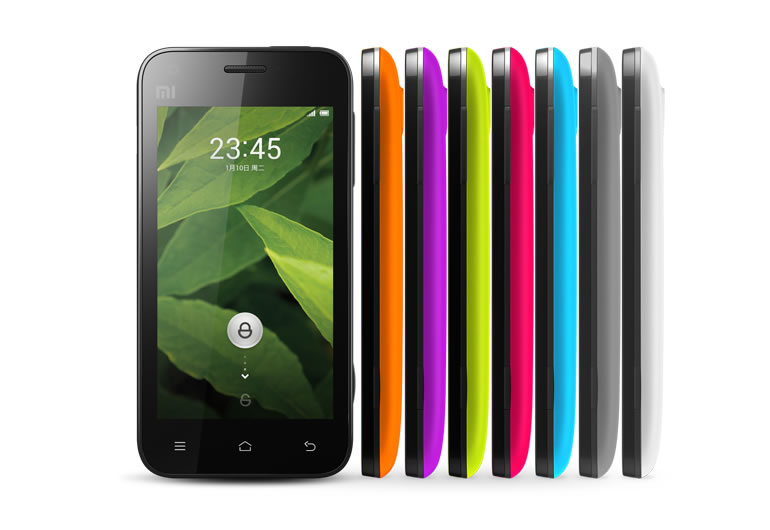
[ROM][4.2.2][JDQ39E][10.1.3]Unofficial CyanogenMod 10.1 for Xiaomi MI-ONE[25/09/2013]

[ROM][4.2.2][JDQ39E][10.1.3]Unofficial CyanogenMod 10.1 for Xiaomi MI-ONE[25/09/2013]


CyanogenMod is a free, community built, aftermarket firmware distribution of Android 4.2 (JB), which is designed to increase performance and reliability over stock Android for your device.

CyanogenMod is based on the Android Open Source Project with extra contributions from many people within the Android community. It can be used without any need to have any Google application installed. Linked below is a package that has come from another Android project that restore the Google parts. CyanogenMod does still include various hardware-specific code, which is also slowly being open-sourced anyway.

All the source code for CyanogenMod is available in the CyanogenMod Github repo. And if you would like to contribute to CyanogenMod, please visit out Gerrit Code Review. You can also view the Changelog for a full list of changes & features.

Working:
  • Booting
  • Display
  • Touch
  • Sdcard
  • 3D
  • USB (Storage and ADB)
  • Audio
  • Charging
  • Buttons
  • Screenshot
  • Wifi
  • HW acceleration
  • Sensors(Accelerometer/Light/Proximity)
  • Camera
  • GPS
  • Compass
  • Offline changing
  • 1080p video recording
  • Bluetooth
  • Radio
  • USB/Bluetooth tethering


Not working:


Features:
  • Removed wallpapers and Some ringtones
  • removed LatinIME dictionaries other than en
  • some TTS language pack removed
  • a Firewall app include
  • background process limit is ten times of what is displayed (we have enough memory)


Known issues:
  • have problem with CDMA network
  • Galley sometime cannot play 1080p video
  • handset icon not showed if handset plugged in


Installation:
  • Put the zip in sdcard and rename to update.zip
  • Poweroff
  • press Power and Volumn Up button at the same time, will boot into recovery
  • Wipe Cache, wipe User Data
  • Install update.zip to System One
  • Reboot to System One
NOTE: System Two is not supported

Quote:
Download:
cm-10.1.3-mione_plus.zip
MD5: 58b2ab3be66175724c906de46bdfa543


10.1.3 25-09-2013
  • Update CM source

BETA3 26-08-2013
  • update gps.conf
  • fix screen brightness change unexceptly
  • fix signal strength display incrrent sometime
  • fix FC on sending MMS
  • Update CM source

BETA3 24-07-2013
  • fix Wi-Fi hostspot
  • fix Wi-Fi MAC change after reboot
  • use ondemand as the default CPU governor
  • long SMS will split into multi short SMS
  • Update CM source

BETA2 28-06-2013
  • add Volume Rocker Wake Support
  • Update CM source

BETA1 13-06-2013
  • fix Wi-Fi scan
  • Update CM source

ALPHA2 10-06-2013
  • fix bluetooth
  • fix radio
  • fix USB tethering
  • use stock thermald.conf
  • Update power config
  • Update CM source

ALPHA 1 21-05-2013
  • Initial release
Screenshots:


Enjoy .