Showing posts with label KitKat. Show all posts

[ROM][MT6572][4.2.2] Cleveri-ROM "KitKat Wanna Be"

[ROM][MT6572][4.2.2] Cleveri-ROM "KitKat Wanna Be"
Cleveri-ROM KitKat Wanna Be


ROM for IMO S79 V2. This device uses Android JellyBean 4.2.2 and chipset MediaTek MT6572.

Requirements :
  1. Rooted device
  2. Already deodexed

Changelog :
  1. Rooted
  2. Deodexed
  3. Zipaligned
  4. New bootanimation and shutdown anim
  5. New boot logo (CID)
  6. Kitkat theme (black and white)
  7. Custom platlogo
  8. Network speed indicator (Thinking Bridge and ChaOS)
  9. OG Battery Mod
  10. Multi user
  11. Center clock lockscreen
  12. Music toggle and slider on statusbar pulldown (just swipe it)
  13. Touch the droid
  14. Google Camera (with panorama and photosphere mode)
  15. Google Play Music
  16. Custom MMS.apk with kitkat style
  17. Statusbar color changer
  18. Kitkat Wallpaper
  19. Transparent Lockscreen
  20. EDT Tweak
  21. Battery Bar Settings
  22. Statusbar Clock Settings
  23. SENSE 4.0 Style Multitasking Recent Apps

Link : Download ROM

INSTALLATION GUIDE :

  1. Do nandroid back up ( optional )
  2. Flash Rom
  3. Reboot
  4. Enjoy

Huawei Honor U8860 and U8800 Pro Development

Huawei Honor U8860 and U8800 Pro Development
 
Huawei Honor u8860 Development

Install this for Wi-fi tethering
https://code.go..................mental1.apk
B919 stock rom base
http://www.mediafire.com/download/z1...bf4t6/b919.rar
TeamWin recovery 2.7.0.0
http://www.mediafire.com/download/hr...0-recovery.img
TeamWin recovery 2.6.0.0
http://www.mediafire.com/download/gi....0.0-u8860.img


Changelog
nice kernel fix for video recording
rwsem backported from 3.10.x
performances tweak.
update rotator
Add assembler versions of AES and SHA1 for ARM platforms.
This has proven up to a 50% improvement in IPsec/TCP throughout for tunnels using AES128/SHA1.
driver: pmem: add PMEM_FLUSH
hid: Import UHID from sultan-kernel-pyramid


Downloads:

CM11
http://www.mediafire.com/download/8k...CIAL-u8860.zip (camera new feature: hdr, zoom, and many effects)
cm11.0m3 : update
- http://www.mediafire.com/download/ci...CIAL-u8860.zip
- http://www.mediafire.com/download/11...CIAL-u8860.zip
- http://www.mediafire.com/download/51...CIAL-u8860.zip

mokee kk : update
- http://www.mediafire.com/download/d5...UNOFFICIAL.zip
- http://www.mediafire.com/download/w1...UNOFFICIAL.zip
- http://www.mediafire.com/download/n9...UNOFFICIAL.zip
- https://docs.google.com/file/d/0B_pd...ZzWUN2WFU/edit
- http://www.mediafire.com/download/1c...UNOFFICIAL.zip
- http://www.mediafire.com/download/bx...UNOFFICIAL.zip

beanstalk kk
http://www.mediafire.com/download/34...0219-u8860.zip
new HELLYKAT : http://www.mediafire.com/download/nd...0301-u8860.zip new! Resurection remix : http://www.mediafire.com/download/1j...0225-u8860.zip
New:BlueLightning http://www.mediafire.com/download/6e...0503-u8860.zip

Click image for larger version

Name: images.jpeg
Views: 1784
Size: 6.6 KB
ID: 2579992   Click image for larger version

Name: 8275.png
Views: 1525
Size: 138.4 KB
ID: 2580093   Click image for larger version

Name: 8275-1.png
Views: 1401
Size: 51.6 KB
ID: 2580094   Click image for larger version

Name: 8275-2.png
Views: 1291
Size: 58.0 KB
ID: 2580095

wifi_tether_v3_4-experimental1.apk

HOW TO INSTALL

Make sure you're running a proper working ClockworkMod-Recovery/TWRP and that you are on B919 stock rom
Copy Gapps and CM11 ZIPs to your SDCard
Boot into Recovery
Wipe data/factory reset
Wipe Cache and Dalvik Cache
Format System
Flash CM11 zip from SDCard
Reboot 

U8800 pro more to come...

mokee: http://www.mediafire.com/download/jc...UNOFFICIAL.zip
cm11 m3 : http://www.mediafire.com/download/8i...namiVSync2.zip


U8800pro bcm4329 wifi module in case there is a  problem with Wi-fi
bcm4329.ko.zip

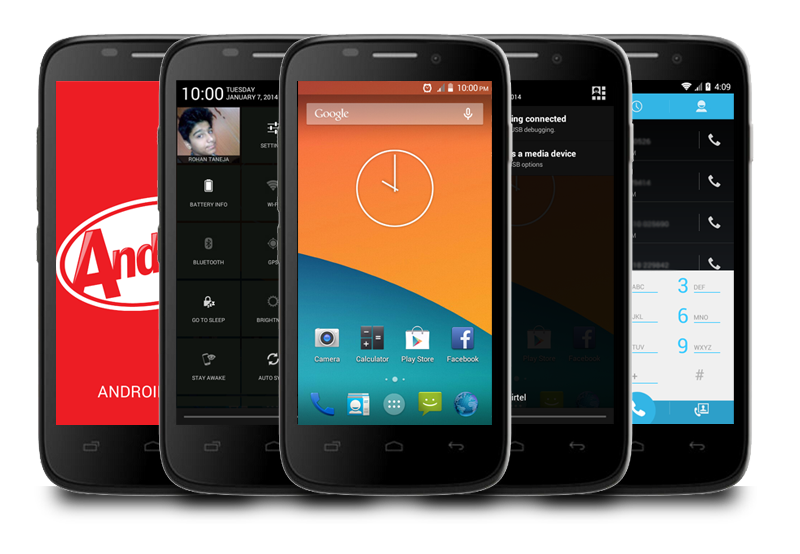
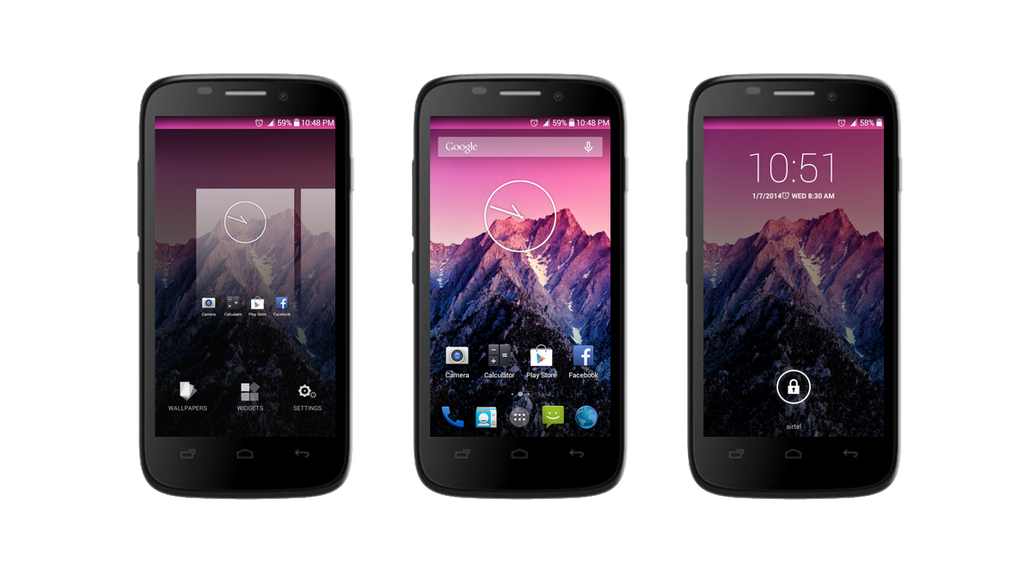
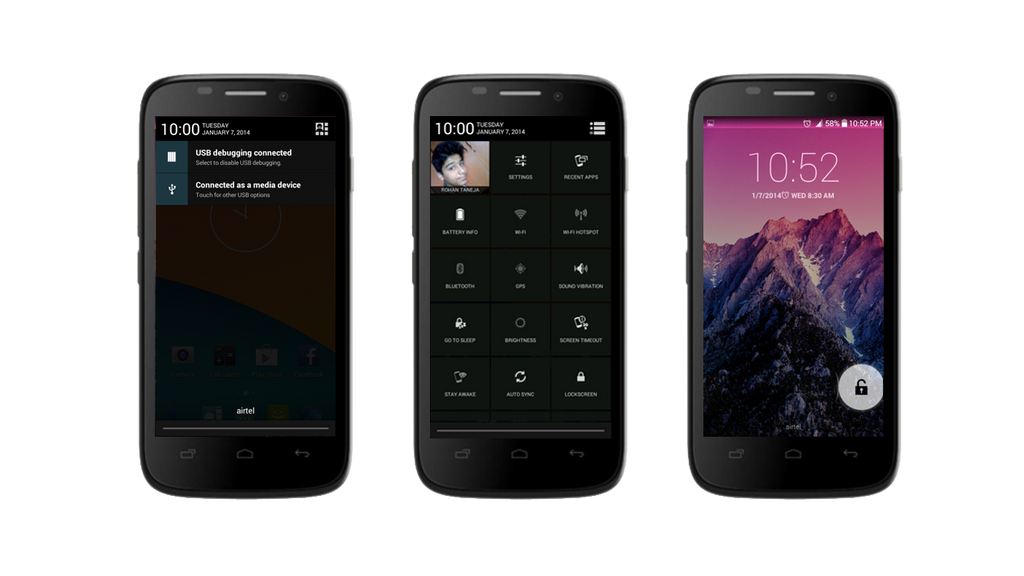
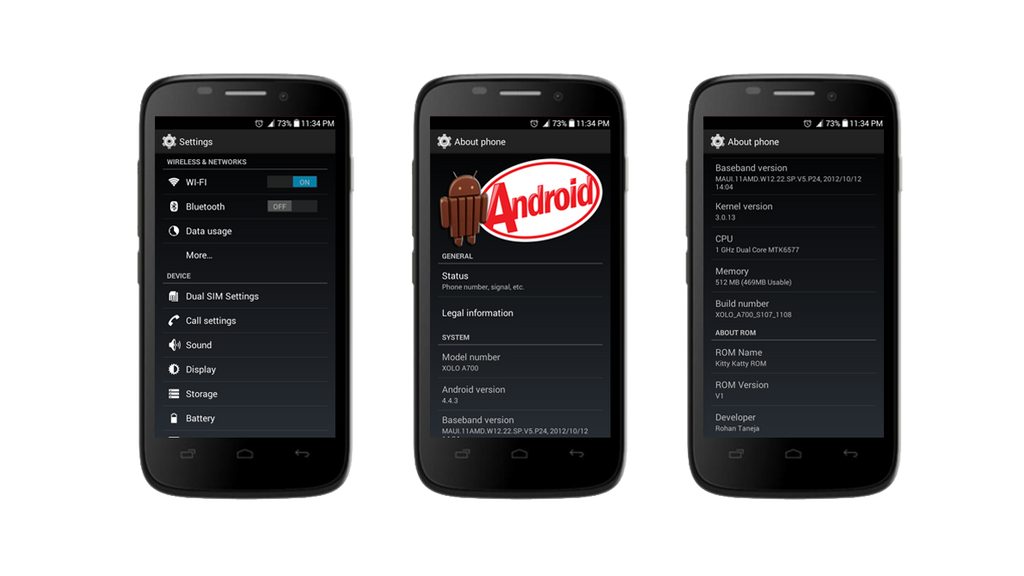
[ROM] Kitty Katty V1 | Android 4.4+ UI | Xolo A700 & Micromax A89

[ROM] Kitty Katty V1 | Android 4.4+ UI | Xolo A700 & Micromax A89

 
KitKat UI for Xolo A700 & Micromax A89

DOWNLOAD FROM DEV-HOST
DOWNLOAD FROM GOOGLE-DRIVE

Information
Kitty Katty Project, a ROM for Xolo A700 & Micromax A89 Ninja.

ATTENTION
Using this ROM is an Awesome Experience for many users. Not Only the UI is Amazing, the ROM is enhanced with many performance tweaks. It's undeniable that Kitty Katty is not just an Cool in-UI, but it also serves a good gaming performance and faster multi-tasking.


BASIC FEATURES:
  • PRE-ROOTED
    -updated to latest Superuser binary + Superuser v3.1.3
  • BUSYBOX
    -pre-installed to make sure you can run power tools and scripts right out of the box
  • DEODEXED
    -all system apks are deodexed to allow theming and modding
  • ZIPALGINED
    -all system apks are zipaligned for optimum RAM usage
  • INIT.D SUPPORT
    -supports running of init.d scripts at during boot

ADVANCED FEATURES
  • Full GPU rendering
    -disabled software rendering for better performance, speed and screen drawing
  • SuperSmooth Scrolling
    -disabled scrolling cache for butter smooth scrolling
  • Signature checking disabled
    -disabled signature checking to allow modded (signed and unsigned) apps to run at boot
  • AOSP UI back-ported
    -the rom gives you a wholesome AOSP UI i.e. original stock UI from Cyanogenmod

ONE-OF-A-KIND FEATURES
  • No System App Bug
    -with all new themed stock apps, we provide you best and pure AOSP experience of every system app, with no errors & problems.
  • Kitkat Ported Apps
    -we know you all are eager to get Kitkat on your device, still keep the hopes alive. Here we provide you all new themed System Apps to look more like a Kitkat UI.

KITKAT APPS: All New Kitkat Apps installed on your phone. Now, You can rock on and show off.


REDIFINED SYSTEM APPS: Superb looks for whole framework and android system. Original Kitkat Taste.

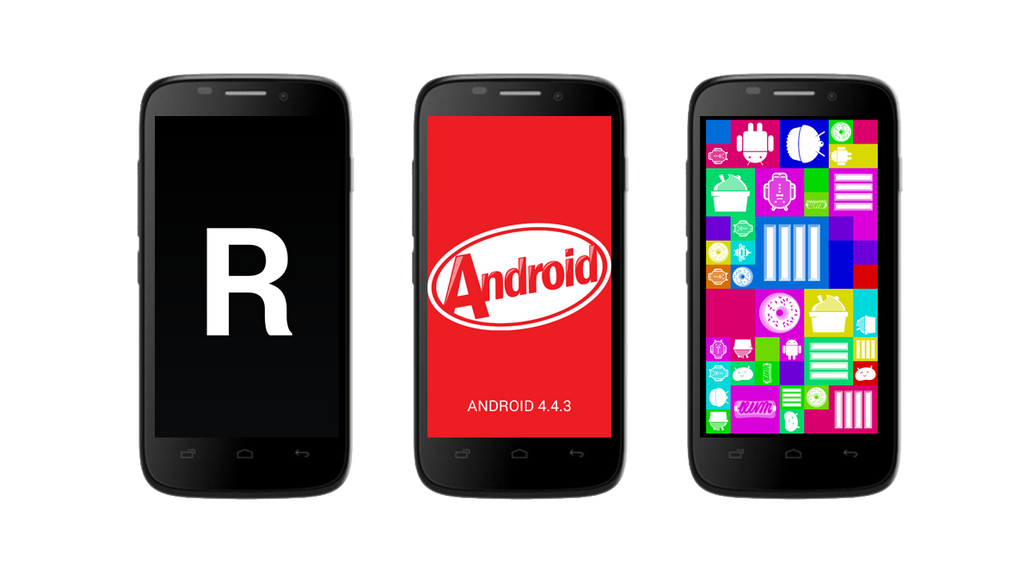
KITKAT EASTER EGG: Integrated with all new Kitkat Easter Egg 4.4.3(Officially Not Released).

HOW TO FLASH

NEW USERS
-Follow this step by step guide if you are:
  • A new user. Completely zero know-how about flashing
  • An old user but coming from stock firmware and wants to do a complete clean flash
  • An old and lazy user who likes complaining rather than reading

Requirements:
  • CWM Recovery
    -this is a recovery for flashing flashable zips such as ROMS, KERNELS, THEMES, ETC
  • Lava XOLO A700 device
    -if this is not your device, stay away!
  • Kitty Katty ROM package
    -obviously, please get it on 1st post

Prepare for flashing:
  1. Backup all your contents, contacts, messages, notes, recording, porns, etc
  2. Drink a glass of water and no matter what happen, never ever ever freak out

Flash Kitty Katty V1 ROM
  1. Power Of Your XOLO A700, until it vibrate.
  2. Enter CWM Recovery mode by pressing Volume Up + Power key for 3 seconds or until you see XOLO logo.
  3. Wipe Full Device, that means Data/Cache/Dalvik
  4. Now, Scroll Down To Choose zip from SDcard, press power key
  5. Again Press power key on install zip from sdcard.
  6. Flash KittyKattyROM_20140107.zipp and choose Install The ROM.
  7. You Are Done, Reboot Your Device Wait Till Boot. (Booting Can Take Upto 10 Min maximum)
 Micromax Ninja A89 - Port Fix


Flash Kitty Katty V1 ROM On Micromax A89
  1. Power Of Your Ninja A89, until it vibrate.
  2. Enter CWM Recovery mode by pressing Volume Up + Power key for 3 seconds or until you see Ninja logo.
  3. Wipe Full Device, that means Data/Cache/Dalvik
  4. Now, Scroll Down To Choose zip from SDcard, press power key
  5. Again Press power key on install zip from sdcard.
  6. Flash KittyKattyROM_20140107.zip and choose Install The Zip.
  7. Wipe Dalvik Cache, & Flash KK_ROM_A89FIX.zip.
  8. You Are Done, Reboot Your Device Wait Till Boot. (Booting Can Take Upto 10 Min maximum)

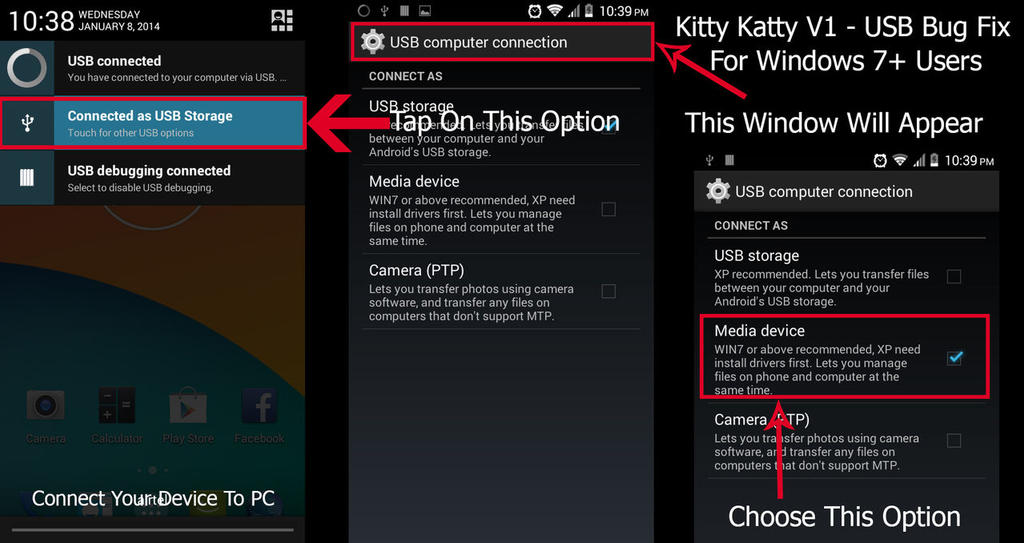
USB Connection Problem - Fix:
 A89 user download the files below:
KittyKattyROM_20140107.zip
KK_ROM_A89FIX.zip

KK-Dialer-Boot-A89-Patch.zip

[ROM][CM-11][4.4.2][Unofficial] Huawei Ascend P1

[ROM][CM-11][4.4.2][Unofficial] Huawei Ascend P1


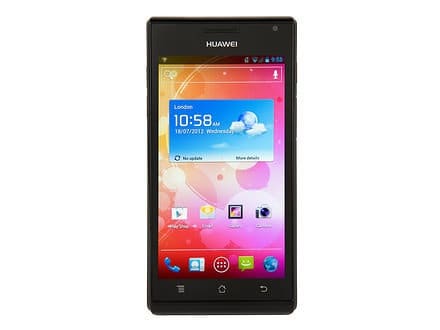
Unofficial CM 11 (4.4.2) for Huawei P1/P1XL


What works:
Ril
GPS
Wifi
Sd card
Camera
Root
Audio
Bluetooth


DOWNLOADS AND OTHER LINKS

Latest build:
Download Link : cm-11-20140410-UNOFFICIAL-viva.zip
Previous build:
Download Link : cm-11-20140402-UNOFFICIAL-viva.zip

GAPPS 4.4 LINKS:
1) Gapps for both machines
2) http://d-h.st/EIM


Other downloads:

External SD as Primary
Internal SD as primary  
permissions_sdcard.zip  
Enable/Disable vibration on hard keys for 0402 build  
Huawei Stock Camera
INSTALLATION INSTRUCTIONS

- FULL AND COMPLETE WIPE IS RECOMMENDED
- Boot into recovery of choice
- Take a backup
- Wipe Cache
- Wipe Dalvik
- Wipe Data/Factory Reset
- Wipe /System (or, in CWM, "format /system" under Mounts and Storage menu)
- Flash ROM
- Flash gapps (see above)
- Reboot, and wait 10 minutes.
- Reboot.
Changelog:

  • 04/10 PowerVR Graphics Driver updated to 1.9@2166536.
  • 04/10 Added patches for SD as primary.
  • 04/02 Latest sync repo from CM11 source.
  • 04/02 Flight mode connection fixed.
  • 04/02 Bluetooth fixed (needs testing)
  • 03/01 Default status for H/W keys:no vibration
  • 03/01 Installation for paid apps fixed.
  • 02/28 Graphical glitches fixed.
  • 02/28 Camera is stable now.
  • 02/28 Added hard keys vibration.
  • 02/28 Some others minor fixes.

[ROM][4.4.2] Unofficial LIQUIDSMOOTH Kitkat V3.0 for Huawei P1

[ROM][4.4.2] Unofficial LIQUIDSMOOTH Kitkat V3.0 for Huawei P1

LIQUIDSMOOTH


FEATURES:

    Customizable lockscreen buttons/sliders
    Chronus clock widget
    Customizable hardware and software keys
    Transparent navbar and status bar
    Customizable navbar ring
    Navigation bar widgets
    Customizable power menu
    Notification power widget
    Customizable quicksettings panel
    Statusbar mods
    Theme engine
    Quiet hours
    Volume rocker music controls
    Full Rotation
    Customizable battery and notification light
DOWNLOADS AND OTHER LINKS

LS-KK-v3.0-2014-05-07-viva.zip

GAPPS for KK

INSTALLATION INSTRUCTIONS:

- FULL AND COMPLETE WIPE IS RECOMMENDED
- Boot into recovery of choice
- Take a backup
- Wipe Cache
- Wipe Dalvik
- Wipe Data/Factory Reset
- Wipe /System (or, in CWM, "format /system" under Mounts and Storage menu)
- Flash ROM
- Flash gapps
- Reboot, and wait 10 minutes before touching it at ALL
- Reboot and enjoy

[ROM][PORT][CM7.2] KitKat Smart R2 for Galaxy Pocket S5300

[ROM][PORT][CM7.2] KitKat Smart R2 for Galaxy Pocket S5300
Features:

Holo launcher;
KK StatusBar Style;
KK Keyboard Style;
KK Dialer and Contacts Style;
CMFile Manager modded ;
Browser like Chrome;
KK Desk Clock;
KK Settings Style;
KK Calculator
and More


Installation:


1. Flash Stock Firmware
2. Go to CWM recovery
3. Format system, data, cache
- mount system, data, cache
4. Flash the rom
5. Reboot


Download -


Flash this if you get lost IMEI problem -


Changelog:

Build 1- Initial Build
Build 2 -
1. Smaller in size
2. Some black on black bugs Fixed
3 New modified Framework
4. Resized Apps
SCREENSHOTS:
Click image for larger version

Name: 1.png
Views: 5475
Size: 100.6 KB
ID: 2635351   Click image for larger version

Name: 2.png
Views: 2432
Size: 15.6 KB
ID: 2635352   Click image for larger version

Name: NewExperienceSS-20140314_200647.png
Views: 2305
Size: 29.1 KB
ID: 2635353   Click image for larger version

Name: NewExperienceSS-20140314_200736.png
Views: 2348
Size: 16.9 KB
ID: 2635354   Click image for larger version

Name: NewExperienceSS-20140314_200752.png
Views: 2163
Size: 20.8 KB
ID: 2635361

Click image for larger version

Name: NewExperienceSS-20140314_200758.png
Views: 2201
Size: 22.7 KB
ID: 2635362   Click image for larger version

Name: NewExperienceSS-20140314_200937.png
Views: 2146
Size: 39.4 KB
ID: 2635363   Click image for larger version

Name: NewExperienceSS-20140314_200952.png
Views: 2083
Size: 18.1 KB
ID: 2635364   Click image for larger version

Name: NewExperienceSS-20140315_072715.png
Views: 2097
Size: 60.1 KB
ID: 2635367   Click image for larger version

Name: NewExperienceSS-20140315_072754.png
Views: 2029
Size: 29.4 KB
ID: 2635368

Click image for larger version

Name: 9e548c838be13739bc70aecd47d9a541.jpg
Views: 2075
Size: 36.2 KB
ID: 2635371   Click image for larger version

Name: f79413fe4e49aac8a004df93a5d07e00.jpg
Views: 1946
Size: 28.3 KB
ID: 2635372   

[ROM]{4.4.2}Validus 5.1 [exhilarate - sgh-i577][AOSP]

[ROM]{4.4.2}Validus 5.1 [exhilarate - sgh-i577][AOSP]


DOWNLOAD
http://www.androidfilehost.com/?fid=........................91460  
Install Instructions
Wipe and format system from recovery
Flash ROM
Flash Gapps
Reboot

[4.4 KitKat] WammyZ ROM for [XOLO Q3000]

[4.4 KitKat] WammyZ ROM for [XOLO Q3000]

To all XOLO Q3000 Users,

This KitKat ROM is based on the ROM of Wammyz 4.4. Added some more application and improved the audio and video features.

Like the other initial 4.4 kitkat ROMs, there was a problem with bluetooth. To make bluetooth to work. Follow the steps below:

Method 1:
1. Turn off the wifi.
2. Turn on the bluetooth
3. Immediately just put one the bluetooth.

Method 2:
1. Go to Apps , go to all and choose Bluetooth button
2. Clear Cache and clear data
3. Restart the phone in safe mode and this will disable the 3rd party applications
4. Now repeat the step one and two
5. Now go to settings and put off wifi
6. Put on bluetooth and immediately put on wifi
7. The bluetooth will start working.
In case of again some problem with bluetooth, kindly repeat the above step.

Down load the ROM from Google Drive in the url below:

url: https://drive.google.com/file/d/0Bz8...it?usp=sharing

Follow the following steps:
1. Download the ROM and put into a folder in your sd card and take it to your sdcard without extracting it
2. Go to CWM or touch recovery. I have incorporated the Carlive touch recovery 2.2 based on CWM 6.0.4.4 in the ROM itself and you will open the recovery in the same.
3. Carry out the WIPE all
4. Select install zip and select the just download rom and flash it.
5. Please wait for some time and it will boot up in about a minute or 1.5 minute.
6. Wait for the Carrier signal to come.
7. After choosing the carrier please put off the phone and wait for one or 2 minute and restart the phone.
8. Enjoy.

Screenshots:
To make the internal storage 2 GB, you may have to flash the attached E1 and E2 files replacing your files available in the stock flash ROM.


Click image for larger version

Name: Screenshot_2014-05-06-08-33-27.jpg
Views: 12
Size: 134.6 KB
ID: 2728460Click image for larger version

Name: 2014_05_06_08.32.09.jpg
Views: 10
Size: 123.9 KB
ID: 2728463Click image for larger version

Name: Screenshot_2014-05-06-13-03-58.jpg
Views: 9
Size: 148.2 KB
ID: 2728464Click image for larger version

Name: Screenshot_2014-05-06-13-12-51.jpg
Views: 10
Size: 106.4 KB
ID: 2728465Click image for larger version

Name: shot_2014-04-20_07-04-10.jpg
Views: 7
Size: 183.7 KB
ID: 2728466Click image for larger version

Name: shot_2014-05-06_13-04-06.jpg
Views: 7
Size: 148.2 KB
ID: 2728467Click image for larger version

Name: shot_2014-04-20_07-07-37.jpg
Views: 7
Size: 190.4 KB
ID: 2728468Click image for larger version

Name: shot_2014-05-06_13-05-07.jpg
Views: 7
Size: 116.9 KB
ID: 2728469Click image for larger version

Name: Screenshot_2014-05-06-08-36-18.jpg
Views: 7
Size: 120.7 KB
ID: 2728470 

storage.zip

[ROM] SLD-ULTIMATE v2 A116/FLYIQ451/A919i/wikocink5/QmobileA600 [5th March][SCREAMER]

[ROM] SLD-ULTIMATE v2 A116/FLYIQ451/A919i/wikocink5/QmobileA600 [5th March][SCREAMER]
SLD-ULTIMATE v2
This may not be so good-looking rom but is the only reliable rom for Micromax A116. 
Micromax Canvas HD A116 / FLY IQ451 / MYphone 919i Duo
Wiko Cink 5 / Qmobile A600

Now Insanely and Heavily Tweaked

Buttery Smooth, Screaming Loud, Fastest & Stable
[AOSP based 4.2.2 Style Port]


Features:

  1. Nova Launcher (recommended for good battery) and Stock Launcher both included.
  2. 4.2.1 rom based on AOSP ROM with frameworks from CELKON A119Q with 4.2.2 binaries.
  3. Fully Zip-aligned and signed
  4. Pre-Rooted with updated SU Binaries.
  5. 4.2 Stock Camera 1088p Video Recording (Patch for Stock 4.3 with working Panorama also available)
  6. VERY FAST and STABLE
  7. Lightly and carefully HEAVILY & INSANELY Tweaked, Tested OK.
  8. Init.d support -- Perfectly verified and working
  9. Loopy Smoothness Tweaks (touchscreen optimization)
  10. New Ram Optimization Tweaks (good for gaming)
  11. New SQLite Optimization Tweaks (for gaming)
  12. More Power Tweaks
    -- New Network Tweaks = STRONGER PHONE NETWORK
    -- New WiFi Tweaks = STRONGER WIFI NETWORK , go some more far and see.
    -- Faster Wi-Fi connection initialization
    -- New DHCP Tweaks = HALF SECOND WIFI CONNECT
    -- New TCP-Buffer Tweaks
    -- New Photo and Video Recording Tweaks
    -- New Streaming Media Tweaks
    -- New Photo & Video Recording Quality Tweaks. Beautiful Photos
    -- New Google DNS Tweak
    -- New Better Flash Tweak
    -- New Bravia Engine Tweak
    -- Sound is enough loud and clear. Great quality sound in Speaker, Headphone and Bluetooth Headset. All three tested ok.
    -- Launcher forced in memory (Reboot if launcher is changed, for great results)
    -- Render UI with GPU to reduce CPU usage
    -- Deep Sleep tweaked
    -- Camera Sound forced to silent with double ways.
    -- Super-Responsive and Smooth Touchscreen Sensitivity
  13. Xposed Installer + Gravity Box works flawlessly (XPOSED TUTORIAL AND APK HERE)
  14. You can get FREE RAM between around 490 to 650 MB. With all required apps installed on the phone there is 545MB FREE RAM all the time. (Screenshot)
  15. After flashing free Internal Storage will be 890+ MB (Screenshot).
  16. Fully Rooted ROM with SuperSU
  17. Pre-installed Lightweight "Stock File Manager" & "ES File Explorer", so you can directly browse system areas/files. Immediately after flash you can start installing APKs, both from Internal and External SDcards.
  18. Good Battery Backup as stock rom. (Install Greenify , Recommended for more best results)
  19. As per user-report the Proximity Sensor responsiveness is improved and better than stock.
  20. Use with any Universal Language with this "tested ok" small app (not included in rom)
  21. Quick Boot (small app pre-installed) for Reboot / Reboot to Recovery Option
  22. No need to swap storage default after flashing.
  23. Camera now saves photos/videos in external sdcard.
  24. USEFUL UPDATED APPS Added (Most uninstallable)
    -- Stock File Manager , ES File Explorer , YouTube , Gmail , Google MAPS, Greenify , SMS Backup App

    -- Added Updated Nova Launcher
    -- Added Updated Google TTS

    -- Updated Google Play Store 4.5.10 and Google Play Services
    -- Added back AOSP Launcher

    -- Added GREENIFY. (how to effectively use GREENIFY?)
    -- Added SMS Backup App
    -- Live Wallpaper Picker added
  25. Restored 4.2 Stock Camera 1088p Video Recording (4.3 Flashable addon zip available below)
  26. Very Lite ROM. Only 283mb. Most other custom stock roms are 400 to 450+ version 1.0 = 279 MB  v1.5-2 = 339 MB 
Tested OK Things
  1. Both SIMS working perfect
  2. Enable 3G in any sim (first or second) your wish 
  3. Battery backup is same or better than stock
  4. OTG Cable works perfect both for PenDrive (shown as "usbotg") and Mouse. (screenshots)
  5. Wi-Fi working. Wifi Lan also works perfect via ES File Explorer (Screenshot)
  6. Faster 10-15 seconds GPS Fix from home window (Screenshot)
  7. Internal and External Both SD working. (Shown as sdcard1 = Internal and sdcard0 = External)
  8. Camera (and FLASH too) working perfect, Auto-Focus perfect. Rear Camera 8MP and Front 2MP working perfect.  Saves photos in external sdcard by default.
  9. FM Radio perfect.
  10. Bluetooth tested ok with Sony MW600 A2DP Stereo BT Headset.
  11. Engineer Mode working: From phone's dialer type code *#*#3646633#*#*
  12. Proximity Sensor Issue of Stock, not found in this rom
Installation:
BATTERY: Keeping battery to 100% is recommended before flashing.
BACKUP: Take BACKUP from recovery, useful in case you mess up. Or try Titanium to backup data and apps.

1) Download ROM and store on Internal or External SD
2) Start TWRP/CWM Recovery Mode
3) Take full backup in recovery mode.
3) Do Data Factory Reset [Warning: Data will be deleted)
4) Install ROM and Reboot Phone.


Addons/Patches/Mods:
  1. ORIGINAL STOCK KERNEL: Download here
  2. FULL WIPE ZIP PATCH: If you are coming from other custom roms with different partition and may get bootloops, then do flash this FULL WIPE ZIP Patch which should re-format the required ext4 partitions perfectly. WARNING: It really formats system and other partition, so please take backup.
  3. MemorySwap Fix: If you want SDCard memory mapping to be fixed or getting problems in restoring Titanium Backup data, then flash this patch. : Download and flash Patch & after that reset storage option. See FAQ section.
  4. AOSP Launcher REMOVED in 0.3F but If you still want it flash this (may refer this post )
  5. Flash Stock 4.2 Camera: Download (if you need the original one) 1088p video recording.
  6. Flash Stock 4.3 Camera: Download (the one which is included in this rom)
  7. UPDATED KITKAT4 LAUNCHER COMBINATION for SLD Rom (Download and Install from here) (NEW)
  8. Live WallPaper and Live WallPaper Picker Add-on (all versions): Download
Bugs:
-- None at the moment for Indian users! All fixed.
Date & Time settings issue for users out of India:
-- This rom have Base Rom from India and some people outside India may get FC while doing manual date settings and its known issue related to Indian MT6589 chipset phones used out of country. It is recognized by GravityBox and they have provided a fix for it. Please do this workaround to fix. Even if users do not do this workaround, the rom works perfect in Automatic mode.

ChangeLog & Download Links: (Latest on top)

(5-Mar-14): SLD-ULTIMATE Version 2
: >>>More power more gaming. <<<
-- Download Links: Fast Main (DevHost) (FireRio)<<< LATEST VERSION
-- FULL WIPE VERSION (Data will be deleted) (you must take Nandroid Backup)
-- Always check MD5 Checksum before flashing: XDA Server code>>> 5f86905526ef4d1d4a4dfcca9b75c0b1
-- Full Init.d support -- Perfectly verified and working.
-- Loopy Smoothness Tweaks (touchscreen optimization)
-- New Ram Optimization Tweaks (good for gaming)
-- New SQLite Optimization Tweaks (for gaming)
-- No need to swap storage default.
-- Camera now saves photos in external sdcard
-- All Apps Updated.

(11-Feb-14): Final Stable Version 1.5 : Fully Smooth and Stable... More tweaks.
-- Download Links: DEV-HOST LINK --similar to 1.0 but with all updates and changes merged. Full fresh rom.
-- DIRTY FLASH VERSION (No Data Wipe required) Install on previous SLD version (but still you must take Nandroid Backup)
-- Always check MD5 Checksum before flashing: f26faa934917bc5e8f04261bf57e69ea
-- Init.d support -- Perfectly verified and working
-- New Network Tweaks
-- New TCP-Buffer Tweaks
-- New WiFi Tweaks
-- New Photo and Video Recording Tweaks
-- New Streaming Media Tweaks
-- New Photo & Video Recording Quality Tweaks. Beautiful Photos
-- New Google DNS Tweak
-- New Better Flash Tweak
-- New Bravia Engine Tweak
-- Added Updated Nova Launcher
-- Added Updated Google TTS
-- Added back AOSP Launcher
-- Added Stock File Manager
-- Added ES File Explorer
-- Added YouTube
-- Added Gmail
-- Added Google Play Services,
-- Added Google MAPS
-- Added Greenify
-- Added SMS Backup App
-- Only 339 MB
-- Updated Google Play Store 4.5.10
-- Live Wallpaper Picker added
-- Restored 4.2 Stock Camera 1088p Video Recording (4.3 Flashable zip available)

NOTE: First reboot may take 2 to 3 minutes or more wait with patience.


(16-01-14): Final Stable Version 1.0 : Fully Smooth and Stable... More tweaks.
-- Download Links: DEV-HOST LINK-- DIRTY FLASH VERSION (No Data Wipe required) Install on previous SLD version (but still you must take Nandroid Backup)
-- Always check MD5 Checksum before flashing: a1457ac969a85db962390ac368229c75
-- Init.d support -- Perfectly verified and working
-- New Network Tweaks
-- New TCP-Buffer Tweaks
-- New WiFi Tweaks
-- New Photo and Video Recording Tweaks
-- New Streaming Media Tweaks
-- New Photo & Video Recording Quality Tweaks. Beautiful Photos
-- New Google DNS Tweak
-- New Better Flash Tweak
-- New Bravia Engine Tweak
-- Removed Nova Launcher
-- Removed Google TTS (Install from PlayStore)
-- Added back AOSP Launcher
-- Added Stock File Manager
-- Added ES File Explorer
-- Added YouTube
-- Added Gmail
-- Added Google Play Services,
-- Added Google MAPS
-- Added Greenify
-- Added SMS Backup App
-- Only 283 MB
-- Updated Google Play Store 4.5.10
-- Live Wallpaper Picker removed (Patch provided in ADDON section, if someone still wants it)
-- Restored 4.2 Stock Camera 1088p Video Recording (4.3 Flashable zip available)
-- Some people may find more battery drain in Final 1.0 than 0.3F, that is because 0.3F had only Nova Launcher and Final 1.0 have only Stock Launcher. You are requested to use the rom with Nova Launcher as default launcher & Greenify for best results.

(11-12-13): Stable Build 0.3F : Fully Smooth and Stable... and now more lighter.
-- Download Links: DEVHOST
-- DIRTY FLASH VERSION Install on previous version (No Data Wipe required, but still you must take Nandroid Backup)
-- Always check MD5 Checksum before flashing: 46f35665d286496b3d85effa657fa664
-- Only 254 MB
-- AOSP Launcher REMOVED (24MB Free  ) If you still want it flash this and check this post
-- Updated Nova Launcher Free Added (only 3mb)
-- Updated Google Play Store 4.5.10
-- Updated OI FileManager
-- Live WallPaper removed (just to save few MBs)
-- Live Wallpaper Picker removed
-- Live Mtk Video Live Wallpaper removed
-- Gallery Editor FC Fixed
NOTE: First reboot may take some time.
Bug Minor: Google Text to Speech FC: Fixed with this update patch in this post.
(10-12-13): Build 0.3E :
-- Skipped due to messed up rom.

(01-12-13): Stable Build 0.3D : Fully Smooth and Stable
-- Download Link: DevHost
-- Only 270 MB
-- ROM Fully re-compiled and all known bugs fixed. Camera 4.3 and Email working perfect.
-- Touch Sensitivity Improved.
-- Ad Block's hosts
-- Launcher forced in memory (Reboot if launcher is changed, for great results)
-- Render UI with GPU to reduce CPU usage
-- Faster Wi-Fi connection initialization
-- Deep Sleep tweaked
-- Camera Sound forced to silent in two ways
-- Quick Boot (small app pre-installed) for Reboot / Reboot to Recovery Option
-- Important: Full wipe version. Please download full rom.
Bugs:
--
Gallery Editor FC (minor bug found & fixed here)
================================================== ====
(28-11-13): Experimental Build 0.3b : Small Update (Previous version to 0.3b don't try on higher builds) -- Touch Sensitivity Improved.
-- Ad Block's hosts
Bugs:
1) Email, Exchange FC. Fixed in next update.

==========================================
(19-11-13) : Experimental Build 0.3a
-- Fully Zip-Aligned and signed
-- some minor fixes in libraries. (replaced some new versions so files)

(18-11-13) : Experimental Build 0.2b
-- Fixed Camera Panorama mode. Updated missing Library files.

(16-11-13) : Experimental Build 0.2
-- Latest Play Store 4.4.21 added
-- Lighter Google Boot-animation
-- Removed Boot sounds, so we can flash roms at late nights, without disturbing sleep of other members of family.
-- Silent Camera (Click, Focus, Shutter all sounds silenced) now take quiet shots even if volume is full
-- some minor adjustments
-- FIX: Camera 4.3 Fix for build V0.2 only. Download from this post. Remember this is not required for next build V0.2b or later. ============================ (15-11-13) : Experimental Build 0.1B
-- Fixed Camera 4.3: Now working Panorama (PhotoSphere360 removed as not compatible)
-- Boot-animation Changed back to CHD Stock
-- Removed Boot sound
============================
Day1 (14-Nov-2013) : Experimental Build 0.1A
--- Bug: Camera FC in Panorama and PhotoSpere360 -- fix available in thread
============================
MISC DOWNLOADS:


  • Special BootLogo for this rom. Flash if someone is still getting boot image from any previous rom.
    Download Flashable
    .
  • Wallpapers: Download whole bunch of Wallpapers or find how to extract single current wallpaper
    Click image for larger version

Name: SLD-BATTERY.jpg
Views: 5713
Size: 91.7 KB
ID: 2619739    

FAQ

1) Why there is more battery drain in Final v1.0+ than v0.3F?


Answer: In v0.3f stock launcher is removed and only single Free Nova Launcher was provided which was experimental step. The launcher performance was smooth and great due to Nova's commercial skills. Its very lightweight and less battery consumer. But in Final V1.0 , completely removed NOVA and re-added Stock Launcher which takes more space in memory and also few more points of battery is consumed.

But now in 1.5 , both launchers are installed and it is suggested to select NOVA LAUNCHER when asked for default launcher. However you still have choice to select all wallpapers from stock launcher.

2) I have TWRP 2.6.3.0 and getting "cannot create folder" error when I try to take backup?

Answer: Solution A) Visit this link for simple workaround for this 2.6.3.0 backup issue.
Solution B) If possible try to be on TWRP v2.5.0.0, it works flawlessly. You can install it with Mobile Uncle too. Just copy recovery.img on root of external sdcard and run "Mobile uncle tool" app and click update recovery and select this recoery.img file. No need for 2.6.3.0 when 2.5.0.0 is working flawlessly.

3) GPS is not fixing out of Bhaarat (India). Any solution?

Answer: GPS locks very fast in Bhaarat (India), tested ok. Its possible that for users out of Bhaarat, GPS may not lock. Try updating EPO Assistance as mentioned on this post. Carefully read all steps. May solve your problem like many others confirmed.
4) BootLogo Not Changing? After your rom, I flashed another rom, but the your bootlogo remained/not changed. Why it is still showing? How to restore back to Original Canvas HD bootlogo?

Answer: Generally every rom-makers should wipe previous Boot-Logo and install fresh logo for new rom, but if they dont do it, it is obvious bootlogo from previous rom will keep showing. There are many workaround for this.
---- Flash this DEFAULT LOGO patch.
---- If still previous logo is seen for 1 second while booting, then find and delete this file
/system/media/images/boot_logo


5) My GPS is not connecting in India/out of India. What to do?

Answer: GPS works perfect in Bhaarat (India) without any workaround, tested ok. But for some it may not work at first attempt. You may try updating EPO Assistance on following link. Please read instructions carefully. Confirmed working for users within and outside Bhaarat. http://forum.xda-developers.com/show...1&postcount=89

6) Titanium Backup not recognizing External SDCard. How to fix/setup Memory Swapping and Mapping?

Answer: MemorySwap Fix: If you want SDCard memory mapping to be fixed or getting problems in restoring Titanium Backup data, then flash this patch. : Download and flash this Patch
After this patch your memory will be mapped freshly, so you may need to go to reset: Settings > Storage > SDCard option for all apps to work normally.

MORE SCREENSHOTS:


[ROM][UB][4.4.2][ZR] Carbon Rom KK Unofficial {built from source}

[ROM][UB][4.4.2][ZR] Carbon Rom KK Unofficial {built from source}


About Carbon

CarbonRom is an aftermarket firmware based on the Android Open Source Project.

Features


Android 4.4.2

As of today:

This is all very much a work in progress. Carbon Fibers are still in the process of being merged with 4.4.2, but I'm sure it'll be ready soon...

(all features will have to be verifed)


Instructions


1. Make sure you have CWM installed and a working nandroid backup
2. Download the ROM.
3. Place the ROM on your SD-Card.
4.Extract boot.img included in zip and fastboot flash it via Flashtool or CMD
5. Reboot to recovery.
6. Wipe data-factory reset/cache partition/dalvik cache
7. Flash the ROM.
Optional- Flash GApps.
8. Reboot and Enjoy Carbon!

Downloads

CARBON-KK-UNOFFICIAL-Dogo_build1


GOOGLE STOCK PACKAGE

This package is recommended for most users of current generation devices (legacy device owners may want to use Mini or Micro Modular GApps due to the size of this package). It includes all the Google Apps that come standard on Nexus devices.
In this package you will find the Core Base¹, Google PhotoSphere Camera/Gallery², Sun Beam Live Wallpaper, and the following Play Store applications:

Chrome Browser (replaces stock/AOSP Browser) | Cloud Print | Gmail | Google+ | Google Calendar (replaces stock/AOSP Calendar) | Google Drive | Google Earth | Google Now Launcher (replaces stock/AOSP Launcher)
Google Keep | Google Text-to-Speech | Google Keyboard (replaces stock/AOSP Keyboard) | Google Play Books | Google Play Games | Google Play Newsstand | Google Play Music | Google Play Movies
Google Play services | Google Search | Google Wallet | Hangouts (replaces stock/AOSP SMS App) | Maps | Quickoffice | Sound Search for Google Play | Street View on Google Maps | TalkBack | YouTube

DOWNLOAD LINKS (~276MB)
Goo.im | Android File Host | Dev-Host


FULL MODULAR PACKAGE

This package is identical to the Google Stock Package above except that it does NOT include Google Keyboard, Google PhotoSphere Camera/Gallery, and will not remove your stock/AOSP Launcher, Keyboard, Browser, or SMS App.
In addition, it also includes Google Bookmark Sync. If you don't have a Nexus device and/or prefer to use the stock/AOSP apps, this package would be perfect for you.

DOWNLOAD LINKS (~221MB)
Goo.im | Android File Host | Dev-Host


MINI MODULAR PACKAGE

This package is designed for those who use limited Google apps or prefer to install apps on their own.
In this package you will find the Core Base¹, Google Bookmark Sync, and the following Play Store applications:

Gmail | Google+ | Google Calendar (replaces stock/AOSP Calendar) | Google Now Launcher | Google Play services | Google Search | Google Text-to-Speech | Hangouts | Maps | Street View on Google Maps | YouTube

DOWNLOAD LINKS (~131MB)
Goo.im | Android File Host | Dev-Host


MICRO MODULAR PACKAGE

This package is designed for users of legacy devices with small system partitions or those who prefer a minimalistic approach.
In this package you will find the Core Base¹, Google Bookmark Sync, and the following Play Store applications:

Gmail | Google Calendar (replaces stock/AOSP Calendar) | Google Now Launcher | Google Play services | Google Search | Google Text-to-Speech

DOWNLOAD LINKS (~86MB)
Goo.im | Android File Host | Dev-Host


ADD-ON MODULES

Addon modules can be installed on top of most any GApps package, including the Mini, Micro, or Full packages above.
All addon modules also include addon.d backup support, meaning their functionality will be restored after flashing a ROM update.

  • Keyboard Addon Module (~13MB)
    This addon module will install Google Keyboard along with the iWnn Emoji keyboard that comes standard on Nexus devices.
    This package will replace the stock/AOSP keyboard installed on your device (due to issues with using stock/AOSP keyboard if Google Keyboard is also installed in System partition).

  • Photosphere Camera Addon Module: (~45MB)
    This addon module will install the Photosphere Camera/Gallery on all Nexus devices with a rear camera.
    Although the package includes the Camera/Gallery for all Nexus devices, only the specific files for your device will be installed.

  • Chrome Browser Addon Module: (~29MB)
    This addon module will install Google Chrome Browser on your device.
  • Google Dialer Addon Module: (no longer available)
    Due to conflict with CM based ROM's and the increasing number of support requests, it is no longer being offered for download.

DOWNLOAD LINKS
Goo.im | Android File Host | Dev-Host