Showing posts with label Micromax A110 rom list. Show all posts

Micromax A110 Canvas 2 ROM List

Micromax A110 Canvas 2 ROM List 

A110


*Flash your device at your own risk*


ROOT: ICS root | JB root
RECOVERY: CWM | TWRP touch
ROMS:


(05/03/2014) SLT-Nexus-PHAILIN™ v6 (4.2.1)(AOSP)
(04/15/2014) Nokia X Rom BETA (4.2.2)
(04/11/2014) MIUI v5 4.4.7 (4.2.2)(port)
(04/05/2014) Ultimate Galaxy V4 (4.2.2)
(03/22/2014) SLT-Nexus-PHAILIN™ v6 (4.2.1)(AOSP)
(03/14/2014) Ultimate™NeXus (4.2.2)
(03/12/2014) Nokia X Rom BETA (4.2.2) +
(03/09/2014) UltrimSLIM-RGT V.2 (4.2.2) +
(02/11/2014) MicroNeXus™ V1 (4.2.2)
(02/08/2014) SLT-Nexus-PHAILIN™ v3 (4.2.1)(AOSP)
(02/05/2014) LegoIce™ Fusion v3 (4.2.2)
(02/04/2014) MIUI v5 3.1.29 (4.2.2)(port)
(02/03/2014) LegoIce™ Project ROM 4.2 (4.2.2)
(01/28/2014) Canvas One (4.2.1)(Sense)
(01/25/2014) Ultimate Galaxy V3 (4.2.2)
(01/12/2014) Micromax MegaJet™ v2 (4.2.1)
(01/08/2014) SLT-Nexus-PHAILIN™ v3.1 (4.2.1)(AOSP)

(01/03/2014) LeWa OS 5 BETA (4.1.2) +
 
December:

(12/31/2013) SLT-Nexus-PHAILIN™ (4.2.1)(AOSP)
(12/25/2013) MIUI v5 3.12.21 (4.2.2)(port)
(12/17/2013) MIUI v5 3.11.13 (4.2.2)
(12/15/2013) Ultimate Galaxy V2 (4.2.2) +
(12/11/2013) Micromax MegaJet™ v1 (4.2.1)
(12/11/2013) Mackay Rom v4 (4.2.1)
(12/09/2013) LegoIce™ Fusion v2 (4.2.2) +
November:

(11/26/2013) SLT-Nexus-TSUNAMI™ (4.2.1)(AOSP) +
(11/20/2013) LeWa OS 5 (4.1.2) +

(11/19/2013) Suvi ROM V16 (4.2.1) +
(11/17/2013) MIUI v5 3.11.15 (4.2.2)
(11/03/2013) TURBO Zet™ Re-Tribution v2.0 (4.2.2)
(11/02/2013) Unofficial CyanogenMod 10.2 ALPHA #1 (4.3.1)

October:

(10/31/2013) LegoIce™ Turbo v3.1 (4.2.1) +
(10/30/2013) MIUI v5 3.10.25 (4.2.2) +
(10/29/2013) JELLY NEX™ v1.2.1 (4.2.2) +
(10/27/2013) TURBO Zet™ Re-Evolved v1.1 (4.2.2) +
(10/22/2013) Raven™ Rom Final (4.2.2) +
(10/20/2013) Unofficial CyanogenMod 10 Beta #1 (4.1.2) +
(10/19/2013) Mackay Rom v3.5 (4.2.1) +
(10/18/2013) LegoIce Canvas4 v3 STABLE (4.2.1)
(10/15/2013) MIUI V5 3.10.11 (4.2.2)
(10/13/2013) Misty™ ROM (4.0.4)
(10/11/2013) LegoIce™ Galaxy S4 v3 (4.2.2) +
(10/07/2013) Rayne™ ROM Final (4.2.2) +

(10/04/2013) TranS4mation S4 Style build v3 (4.1.1)

(10/03/2013) Dark™ NeXuS (4.2.2)

(09/26/2013) LegoIce Canvas4 STABLE (4.2.1)

(09/26/2013) Suvi ROM V15 (4.1.1)
(09/23/2013) PureJB BETA (4.2.2)
(09/22/2013) Mackay Rom V2 (4.1.2)
(09/14/2013) MIUI V5 3.9.13 (4.1.2)
(09/13/2013) TranS4mation S4 Style build v2 (4.1.1)
(09/13/2013) LegoIce Canvas4 (4.2.x) +
(09/11/2013) Spike™ ROM 1.5 Patch
(09/11/2013) Dark™ NeXuS (4.2.2) +
(09/09/2013) PureJB Pre-BETA (4.2.2)
(09/04/2013) Suvi ROM V14 (4.1.1)
(08/29/2013) LegoIce_Xperia Z UI v3 (4.1.2)
(08/28/2013) PureJB (4.2.2)
(08/28/2013) TranS4mation S4 Style V1 (4.1.1)
(08/25/2013) Micromax Grand™ ROM v3 (4.1.2)
(08/21/2013) FrostMOD™ V3 (4.1.2)
(08/20/2013) MOGO OS ROM (4.1.2)
(08/15/2013) MIUI™ V5 STABLE (4.1.2)
(08/17/2013) JMP™ v12 (4.1.2)
(08/17/2013) Aromatic BumbleBee™ ROM V3.0 (4.1.1)
(08/15/2013) OPPO T29 (4.1.1)
(08/13/2013) LegoIce_Xperia Z UI v2 (4.1.2)
(08/11/2013) MIUI V5 3.8.9 (4.1.2)
(08/05/2013) MicroFire v3.2
(08/01/2013) Mackay Rom V1 patch (4.1.2)
(07/31/2013) Suvi ROM V13 (4.1.1)
(07/21/2013) LeWa OS v13.07.19 (4.1.2)
(07/17/2013) Raven™ ROM V3
(07/17/2013) CanXperia ROM V1 (4.1.1)
(07/17/2013) XR650 Gaming Rom V14 (4.1.2)
(07/17/2013) Spike™ ROM 1.5
(07/15/2013) CanGalaxy S4 ROM v.3 (4.1.2)
(07/11/2013) LigoIce_JB Full S4 UI (4.1.1)
(06/17/2013) CanvaS4™ V1.1 (4.1.2)
(05/19/2013) JetMOD™ 6.0.1 (4.1.1)
 ROMS THAT WERE RELEASED BEFORE APRIL WON’T BE LISTED

[ROM 4.2.2][12 Oct 2013]★JELLY NEX™ v1.0★[Aroma][Stock Look] Micromax A110

[ROM 4.2.2][12 Oct 2013]★JELLY NEX™ v1.0★[Aroma][Stock Look] Micromax A110

[ROM 4.2.2][12 Oct 2013]★JELLY NEX™ v1.0★[Aroma][Stock Look]


Features:

  • Android Stock Applications
  • Nexus 4 Stock Look
  • Boltwares Removed
  • Battery % check box available
  • Super SU Installed / Rooted
  • Root Explorer Installed
  • LED Notification Working
  • Jelly Bean 4.2.2
  • GPS Working
  • SD card working
  • Camera working
  • FM Working
  • Wifi Working
  • Radio Fully working
  • 200 DPI
  • Android 4.3 default Wallpaper
  • Android 4.3 [Google] Boot animation
  • Nexus Boot Logo
  • Google Shutdown animation
  • BusyBox
  • init.d support
  • Smooth
  • Fast
  • Aroma Installer

Installation steps
1. Place the zip file into SD card.
2. Reboot into CWM Recovery.
3. Wipe Partition / Factory Reset.
4.Clear Cache.
5.Clear Dalvik Cache
6. Install zip from SD card
7. Factory Reset.
8. Wipe Cache.
9.Clear Dalvik Cache.


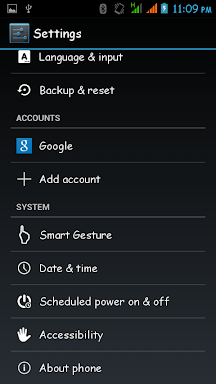
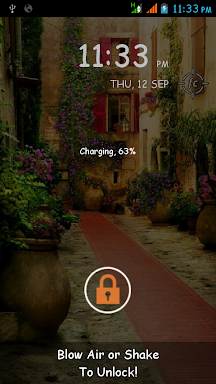
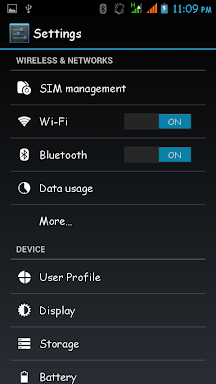
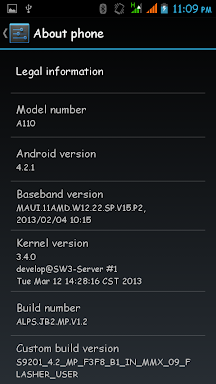
Screenshots:

DOWNLOAD:

http://q.gs/4vwZh

[4.2.1] LegoIce™Canvas 4 [STABLE] [UPDATE 18/10/13] Micromax A110

[4.2.1] LegoIce™Canvas 4 [STABLE] [UPDATE 18/10/13] Micromax A110
------:::::: LEGO WORLD ::::::------


HERE IS THE PORTED ROM OF CANVAS 4


BASED ON CANVAS 4 FEATURE


ROM FEATURES

-Camera Front and Rear
-WiFi
-FM
-Bluetooth
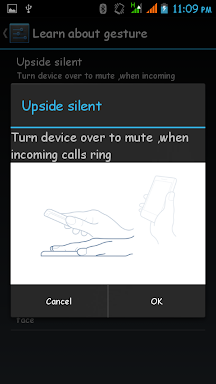
-Smart Gesture
-Mi Lock
-Popup Browser
-Borqs Music Player
-Floating video player
-Floating browser
-Xperia Z keyboard with skin
-GPS
-Settings menu which allows to have different ringtones for dual sim i.e different ringtone for both the sim
-Rooted
-Inbuilt init.d script (Deleted)
-New Boot Animation
-No Phone heating Problem, Smooth UI and Smooth Touch


--- Change Log in v3 ---

--- Fix sound ---
--- Fix Music Player ---
--- Add new floating browser ---
--- Add new floating video player ---
--- Delete init.d Script ---
--- Change boot animation ---
--- Change Launcher to Note 3 Launcher ---
--- DPI change to 210 ---
--- Add Some Apps like xposed framework,gravity module, GPS Apps etc...----


--- DOWNLOAD FINAL v3 ---


--- UPGRADE TO S4 UI---


[Direct Flash via CWM Recovery]


I HAVE UPLOAD STABLE ROM ON XDA SERVER SO CLICK ON DOWNLOAD LINK OR GO TO DOWNLOAD SECTION IN PROJECT
NOTE --- Delete All init.d Script in system/etc/init.d via root explorer in previous version for remove lag

How to flash:-

NOTE - This Zip is without Boot.img So first add boot.img Zip root directory via recommendation
1. copy the "zip" file to root of your sdcard.
2. reboot in CWM recovery mode.
3. Select "Wipe data/factory reset"
4. Select "Wipe cache partition"
5. Select "advanced" --> Select "wipe dalvik cache"
6. Select install zip from sdcard --> choose zip from sdcard --> then select "zip"
after it completes flashing/installing, just go back &
7. Wipe cache partition
reboot!!


Click image for larger version  Name: Screenshot_2013-10-18-12-59-05.png Views: 432 Size: 26.4 KB ID: 2333342  Click image for larger version  Name: Screenshot_2013-10-18-12-59-59.png Views: 440 Size: 45.4 KB ID: 2333343  Click image for larger version  Name: Screenshot_2013-10-16-22-38-03.png Views: 433 Size: 47.7 KB ID: 2333344  Click image for larger version  Name: Screenshot_2013-10-18-13-00-08.png Views: 427 Size: 34.5 KB ID: 2333345  Click image for larger version  Name: Screenshot_2013-10-18-12-59-28.png Views: 420 Size: 27.7 KB ID: 2333350

Click image for larger version  Name: Screenshot_2013-10-18-12-58-46.png Views: 419 Size: 142.9 KB ID: 2333351  


NOTE - Wipe cache partition, dalvik cache and fix permission after flesh patch

FOR OLD DIALER FLESH THIS PATCH - DOWNLOAD


PATCH FOR V1 AND V2

DOWNLOAD LINK --- Transparent status bar For legoIce™ Canvas 4 [4.2.1] 

[ROM][4.2.2][Stable]✦✦✦Raven™ Rom Final✦✦✦[Dark][Cool][Fast] Micromax A110

[ROM][4.2.2][Stable]✦✦✦Raven™ Rom Final✦✦✦[Dark][Cool][Fast] Micromax A110
☽☽☽ Raven™ Rom ☾☾☾


Raven™ Rom Final is the last sequel to Dark Rom Series. It is a totally Unique and the most Abstract Rom for Micromax A110 and it's Clones. The Rom is blended with all the amazing features and apps that are required by the users. The Rom has it's own user interface and design with lots of tweaks for smoothness and performance to make it one of the Best Roms out here. It is made for all types of users,the Gamers, the music lovers,internet lovers, who want better battery backup, who want amazing looks, who want cool tones & wallpapers, heavy users, normal users..


Features of Raven:
-New User Interface
-Super Smooth and Fluid
-Based on Rayne Rom
-Blawb Icons
-Rosemary Font
-Xtreme Core
-Xthemes Engine
-Best Boot Animation Ever
-Custom Wallpapers
-Xposed Framework
-Samsung In-Call Screen and Dialer
-Some Note 3 Apps
-Viper Audio Engine (Latest)
-In-Built Ad Blocker
(Latest Version of Mother of all Ad Blocking)
-Custom Icons and Ringtones
-CRT Screen Off Animation
-Smooth & Improved Touch
-Improved Status bar
-Pre-Rooted
-Note 3 Launcher
-Latest & Inverted Play Store
-New System Apps
-Dark Themed Keyboard
-Many Build.prop Tweaks
-Amazing Battery Backup
-Cool Notification Tones
-Wi-Fi Improved
-Super Fast Internet Speed
-Removed Black Screen After Call Ending
-Removed Bloatware
-Removed Useless Ringtones
-Hot Reboot Option
-Super Smooth Performance
-Zipalign on every reboot
-Battery Saving Tweaks
-Lazerdroid
-SD speed tweak
-Logger removed
-Faster GUI
-Xbin Tweaks
-CPU GPU rendering
-Better gaming performance
-Xposed Modules


Download Link:

Raven Rom(331MB):
Download Link

A Patch for Some Fixes and Performance Improvements:
You can Use this Patch for Gallery And Camera Fix:
http://q.gs/4vwSD

Delete Init.d Folder and xtreme folder from system>etc to solve the Reboot Issue

and Choose any Font You Like from here and flash it in CWM:
http://forum.xda-developers.com/show...php?p=44991556
Steps to Flash Raven Rom:
(Follow each and every step properly.)

1) Download Rom Zip File from the Link Above
2) Put into External/Internal SD Card
3) Go To CMW/TWRP/LEWA Recovery
4) Wipe Data/Factory Reset
5) Go to 'Mounts and Storage' and Format System
6) Select 'Install zip From Sdcard' and choose the Rom Zip File
7) Select Yes and The Installation will Start
8) Reboot Phone after Installation is Complete
9) Complete the Setup Wizard
10) Open 'Xposed Installer' from App Drawer
11) Select 'Install/Update' and close the App
12) Open 'Viper4AudioFX' from App Drawer
13) Follow Steps to Install Viper given in 3rd Post
14) Go to Recovery Again
15) Fix Permissions and Wipe Dalvik Cache from Advanced Menu
16) Reboot the Phone
17) Enjoy the Rom 

Deleting Init.d Folder from System>Etc is strongly recommended for more smoothness


SCREENSHOTS:


Some Very Important Tips:

Most Important Tip: If you feel Laggy UI, then Using Root Explorer or Any other File Browser go to System>Etc and delete the Init.d Folder...and Restart Your Phone...


How to Use Xposed Framework:

Xposed Framework can be used to change many preferences of all the Applications installed on your Phone without editing any system files.
To use Xposed Framework Just open the App "Xposed App Settings" from App Drawer (after Installing the Framework using "Xposed Installer" App from App Drawer) from and set your preferences.


The way to use Xthemes Engine:

As you all must be knowing that Cyanogenmod has got an inbuilt theme engine...so this is how you should use the xposed theme engine to apply themes like cyanogenmod into your phones which will change settings background, notification icons, some apps icons , little bit of interface and some more things...

Just follow these steps carefully:
- Install Xposed Framework using the Xposed App(included in the ROM)
- From modules section...tick mark the theme engine app
- Reboot the Phone
- Install theme apk files...the ones you like... (links given below)
- Open the Theme Engine App
-Select the theme you installed
- Reboot and Enjoy

Some of the Xthemes Collection:
http://forum.xda-developers.com/show....php?t=2371574


Here is a way to Increase your Battery Backup...it is really useful and shows very Effective Change...do it as soon as you Flash the ROM:

-Download 'Battery Calibration' App from the Google Play Store.
-Charge your Battery to 100%
-As soon as you remove the charger..open the app and click on 'Calibrate Battery'
-Use your phone normally now...and wait till the battery drains to 1%
(do not charge the phone in between)
-Then, charge your phone continuously till it reaches 100%
-Voila...your Battery Backup has increased a lot now!!


How to Use ViPER Audio Engine:

-Open 'ViPER4AndroidFX' from App Drawer
-Select "Yes" Option for Installing Drivers
-Choose CPU as 'Cortex A9/15 with NEON'
-The Driver's Will Install
-Reboot the Phone
-Open the Application Again
-Tick Mark the option of Enabling ViPER Engine
-Do Same for Headset & Bluetooth Mode
-Set other Sound Options
-Enjoy Amazing Audio Quality


How to Improve Audio Quality:

-Open Settings
-Go to Engineering Mode
-Go to Hardware Testing>Audio
-Go to "Loudspeaker Mode"
-Set Max Volume to 148 and Normal Value to 108
-Do the Same for Normal Mode


If you want even more fast speed then from Settings > Developer Options > Set Windows Animation Scale, Transition Animation Scale and Animator Duration Scale from 1 to 0...