Samsung Epic 4G (D700) ROM List


Samsung Epic 4G (D700) ROM List

epic4G
*Flash your device at your own risk*


(09/21/2013) Avatar ROM Stable 3.1 (4.2.2)

(09/13/2013) CyanogenMod 10.2 Preview Builds (4.3) +

(09/03/2013) LegacyBlackDogROM v1.02 (FC09)

(08/21/2013) PAC-man (4.3)(HYBRID) +

(08/19/2013) Slim Bean Build v8 (4.2.2)

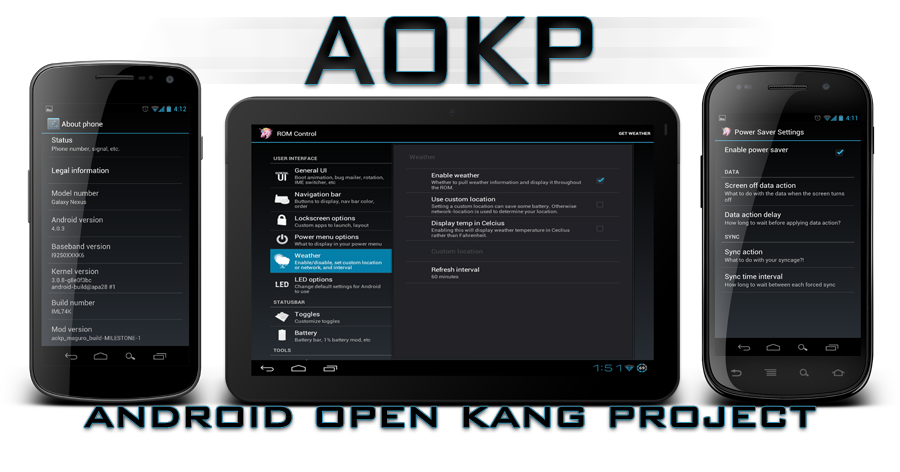
(06/29/2013) Unofficial AOKP (4.2.2)

(06/19/2013) SuperNexus (AOSP)(JDQ39)

(06/18/2013) Domination Build 1 (4.2.2)

(05/21/2013) Xylon 2.7.7 (4.2.2)(AOSP)

(05/08/2013) CyanogenMod 10.1 Nightlies
(09/29/2012) [SS] HTC SENSE 2.1 v1.7

(09/26/2012) [SS] D.I.R.T CIUI Version 2 (2.3.7) +

(09/25/2012) [SS] AOKP JB Build 2 (4.1.1)

(09/17/2012) [SS] CyanogenMod 10 Nightly (4.1.1) +

(09/08/2012) [SS] ParanoidAndroid 2.10 (CM10)(4.1.1)

(09/07/2012) [SS] Cut & Paste ROM (FC09)

(07/21/2012) [SS] Stock Deodexed Prerooted (FC09)

(08/20/2012) [SS] CyanogenMod V9.0 (4.0.4)

(08/12/2012) [SS] MIUI.us v4 2.8.10 (4.0.4) +

(07/15/2012) [SS] Mortify ROM V2 Final (FC09)

(06/24/2012) [SS] The People's ROM v2.21

(06/09/2012) [SS] Nyan Colonel v5 (ICS)

(06/01/2012) [SS] RandomROM ThunderHawk 5.1 (FC09) 
 
ROMS THAT WERE RELEASED BEFORE JUNE WON’T BE LISTED


*All source links are from xda-developers forum* 2.3.6 – EL30, FC09
4.2.2 – JDQ39
2.3.6 – EL30, FC09
2.3.5 - EI22
2.3.4 - EH17

Samsung Vibrant (T959) ROM List


Samsung Vibrant (T959) ROM List

vibrant
*Flash your device at your own risk*


(09/22/2013) CyanogenMod 10.1 Nightly (4.2.2)

(09/21/2013) Unofficial CM10.2 (4.3) +

(09/16/2013) GearUI 3.9.13 (4.1)(MIUI) +

(09/09/2013) UNOFFICIAL CarbonRom (4.3)(AOSP)(port) +

(09/04/2013) CyanAOSP v5.0.0 (4.2.2) +

(09/04/2013) Avatar ROM 3.1 Nightly (4.2.2)

(08/27/2013) Miui Android 3.8.23 (4.1.2)

(08/06/2013) SlimBean Build 8 (4.2.2)

(07/23/2013) Infamous 1.9.1 (AOKP)(4.2.2)

(07/22/2013) AOKP jb-mr1 milestone 2 (4.2.2)

(07/20/2013) PAC-Man 23.0.0 (4.2.2)

(06/24/2013) RemICS-JB v5.0 (4.2.2)

(05/13/2013) Xylon 2.7.7 (JDQ39E)
(09/30/2012) [SS] Slim Bean 2.6 (4.1.1)

(09/28/2012) [SS] MIUI v4.1 2.9.21 (4.1.1)

(09/21/2012) [SS] Helly_Bean (4.1.1)

(09/17/2012) [SS] CyanogenMod 9 Nightlies (4.0.4)

(09/17/2012) [SS] CyanogenMod 10 Nightly (4.1.1)

(09/07/2012) [SS] BAKED blackbean 3 (4.1.1)

(09/06/2012) [SS] MIUI V4 2.8.3 (4.0.4)

(09/02/2012) [SS] RemICS-JB v2.0BETA (4.1.1)

(08/27/2012) [SS] AOKP JB Test (4.1.1)

(08/10/2012) [SS] EUROSKANK Jellybro (CM10)(4.1.1)
(08/02/2012) [SS] WeUI v2.0 (4.0.4)

(07/28/2012) [SS] Blue 2.2 Frankenstein V2 (2.2)


ROMS THAT WERE RELEASED BEFORE JULY WON’T BE LISTED  

*Most source links are from xda-developers forum*

4.2.2 – JDQ39E

4.0.4 - IMM30B

4.0.3 - IML74K

2.3.6 – JW1, JW3

2.3.5 - JVT

2.3.4 - JVP, JVR

2.2 - KB5

[ROM] LEWA OS For Micromax Canvas 4 [A210]

[ROM] LEWA OS For Micromax Canvas 4 [A210]
LEWA OS For Micromax Canvas 4


ChangeLog

==================================================
:-Android version :4.2.1

:-Full stable

:-Speedy

:-More free ram

:-Optimized

:-Amazing stability and speed

:-Amazing battery Life

:-Gapps included
==================================================


ScreenShots


Download Link


Mirror 1Mirror 2

IMPORTANT :-
-Backup your current Rom before flashing
-Do It On your Own Risk I Will Not Responsible For Any Damage


Flashing Instructions
1. Do factory reset
2. clear dalvik cache
3. clear cache data
4. Format System
5. Flash lewacanvas.zip
6. Reboot


Bugs
NONE
U may report if found

[ROM][MIUI]MIUI V5 For Canvas 4 MICROMAX A210 Fully Stable

[ROM][MIUI]MIUI V5 For Canvas 4 MICROMAX A210 Fully Stable
MIUI For Micromax Canvas 4


ChangeLog

==================================================
:-Android version :4.2.1

:-MultiLanguage

:-MIUI Version 3.9.13

:-Full stable

:-Speedy

:-More free ram

:-Optimized

:-Amazing stability and speed

:-Amazing battery Life

:-Gapps included
==================================================


ScreenShots


Download Link


DOWNLOAD

IMPORTANT :-
-Backup your current Rom before flashing
-Do It On your Own Risk I Will Not Responsible For Any Damage


Flashing Instructions

Quote:
1. Do factory reset
2. clear dalvik cache
3. clear cache data
4. Format System
5. FlashMMX4MIUI.zip
6. Reboot


Bugs

NONE
U may report if found

[ROM]Safari for Canvas 4(A210)

[ROM]Safari for Canvas 4(A210)
Safari, Its a true adventure

What's up folks! Here is a new rom for our beloved canvas 4

Here are the features:
Based on Android 4.2.1
S4 TouchWizard Launcher
S4 Task Manager
S4 Wallpapers
S4 Music
S4 Widgets
S4 AccuWeather
Samsung Bootanimation
S4 Fonts
S4 Battery Icon
S4 Sounds
S4 Ringtones
Ziplalign Every Boot
Build.prop Tweaks
Init.d Scripts
Faster And Smoother
busyboxed
S4 UI Sounds
S4 Notifications
S4 Alarms
Xposed Framework
ViPER4Android FX
Awesome Performance(Quadrant benchmark of 4232)
RAM booster
Init.d Added
Fully Deodexed

Its in beta stage and still being tested
only thing thats not working is the camera; if someone has a solution please help me.


What doesnt work:
1)Camera(Will fix it soon)

Download
Safari.zip (360.8 MB)
https://mega.co.nz/#!x9pRQJ6K!NZCO_Q...z4yVZwyu5n9aMg

To install it,
Go to your CWM recovery
1)Copy the zip to your SD card
2)Wipe data/factory reset
3)wipe cache partition
4)Go to mounts and storage and format system
5)Wipe Dalvik cache
5)Navigate to install zip from SD card and then click the zip file. wait for installation to finish and then reboot

Patches for the ROM are in the next post
I will fix the camera soon and post the patch

PATCHES!  

General rule to flash patches
1)Wipe cache and Dalvik cache and install the patch
2)DO NOT WIPE ANYTHING ELSE!

Here are the patches


 
Click image for larger version  Name: 1378613035151.jpg Views: 95 Size: 52.8 KB ID: 2242725   Click image for larger version  Name: Screenshot_2013-09-06-22-37-41.jpg Views: 70 Size: 30.7 KB ID: 2247671  Click image for larger version  Name: Screenshot_2013-09-07-10-03-53.jpg Views: 73 Size: 51.2 KB ID: 2247679  Click image for larger version  Name: Screenshot_2013-09-07-10-03-58.jpg Views: 70 Size: 45.0 KB ID: 2247680  Click image for larger version  Name: Screenshot_2013-09-07-10-04-03.jpg Views: 69 Size: 50.0 KB ID: 2247683  Click image for larger version  Name: Screenshot_2013-09-07-10-04-08.jpg Views: 67 Size: 48.4 KB ID: 2247685

Click image for larger version  Name: Screenshot_2013-09-07-15-25-51.jpg Views: 60 Size: 25.3 KB ID: 2247686  Click image for larger version  Name: Screenshot_2013-09-07-15-25-55.jpg Views: 64 Size: 22.0 KB ID: 2247687 

[How To] Update your XOLO Play T1000 to Android 4.1 JB!

[How To] Update your XOLO Play T1000 to Android 4.1 JB! 

Xolo mobiles have started their first Nvidia Tegra 3 powered Xolo Play T1000. It has a 4.7- inch HD IPS display with OGS (one-glass solution) innovation for better and speedier touch response. It is controlled by a 1.5 Ghz Quad-center Nvidia Tegra 3 processor with 416 Mhz 12 Core NVIDIA ULP Geforce GPU. The superphone sails on Android 4.1.1 Jelly Bean. For photographs it accompanies a 8 MP raise Polaroid with BSI (posterior light) sensor with a LED Flash and a 2 MP front-facingg camera for video chatting. The device has preloaded with Tegrazone application that let clients to download Tegra3-improved Android diversions. XOLO T1000 has full HD video recording and playback. Xolo Play have gained a programming update which fixes issue, for example battery drainage and heating etc. You can update your Xolo Play to the most recent Jelly Bean update by Xolo. XOLO did an awesome job :P just kidding. Android 4.1 update? poor idea. They should have launched Android 4.2 or Android 4.3 :P Still, it's better than the stock one.


Do's and Don'ts
1) Install this ONLY in XOLO Play T1000.
2) Don't TRY to install this on your device (other than XOLO Play T1000).
3) Don't remove battery while it is processing the update.
4) Battery should be more than 70% before applying this.

 Downloads

:P the main thing what people actually search. Okay, you can download the 4.1.1 update from official XOLO site- XOLO_Play_S016_24082013_OTA.zip

How To Install Android 4.1.1 in XOLO T1000 Play

1) Transfer the "XOLO_Play_S016_24082013_OTA.zip" file to your SD card, not in any folder without extracting it.
2) Open XOLO Care" application..(most people have already un-installed it after rooting :P)3) In the tabs, open "UPDATE" 
4) There, click on "Check for software update".5) Click on ‘Check for updates’6) Click on continue
Follow the other on-screen instructions and install it, it's a common sense. Now, you have installed Android 4.1.1 in your XOLO Play.
Don't forget to share the news :) 


[ROM][XOLO PLAY]XyrusOS

[ROM][XOLO PLAY]XyrusOS
Presenting XyrusOS for XOLO Play T1000
-------------------------
SCREENSHOTS
-------------------------


------------------
FEATURES
------------------
  1. Viper4Android
  2. X-Reality Engine
  3. 4-Way Reboot
  4. CRT OFF (only works sometimes)
  5. Custom Kernel (rooted and init.d support)
  6. Lidroid Toggles
  7. New Wallpapers from Xperia Z, Ubuntu and MIUI
  8. Adobe Flash Player
  9. Menu button unlock disabled
  10. No need of any Booster app like LGP880Booster
  11. Loopy Smoothness tweaks
  12. Netspeed tweak
  13. OTA Updater (removed because of issues )
  14. Special Gamer scripts by *me
  15. Xperia Z launcher with some widgets
  16. New cool bootanimation 
  17. GPS tweak by deepaktom
  18. MIUI V4 music player
  19. MIUI ringtones,alarm,notification tones
  20. Xposed framework
    + maybe more
---------------------
PROCEDURE
---------------------

1. Download XyrusOS.zip and put it in sdcard.
2. Install Custom Recovery like CWM Recovery / TWRP Recovery.
3. Switch off phone and goto recovery by pressing volume "-" and power on button at same time.
4. Select Factory Reset / Wipe Data option from recovery.
WARNING : This step will delete every data of your phone like apps, contacts, messages,etc.So have a backup with you.


5. Then select "Install Zip" from recovery and flash XyrusOS.zip.
6. After finishing reboot the phone.
7. After first boot install dependencies of Xposed framework ( press Install/Update inside framework option ) and Viper4Android ( click yes after app launch and then select "Cortex A9/A15 with NEON" ).
8. Select the primary storage from Settings.
9. Done!!

Flash Xposed_Modules.zip for my personal used modules ( do this only after selecting primary storage in settings ).

CRT off animation is buggy . It works sometimes and sometimes it doesn't.
So if you don't want CRT effect at all then flash No_CRT_Effect.zip.
But if you want to enable it again then flash Enable_CRT_Effect.zip.
CRT effect is enabled by default in the rom
 

---------------------------
DOWNLOAD LINK
---------------------------

Google Drive